Klaviyo Email Builder

Klaviyo / Product design
Redesigning Klaviyo’s email editor while preserving the features existing customers relied on.
An editor that had outgrown its technology
The original email builder had received few major updates since 2013. Its technology made long-requested features difficult to build.
I took over design for the editor update in late 2020. The redesign had started in 2019, and several product managers, engineers, and designers had already contributed.
Keep the features customers relied on
The new editor needed to support the classic editor’s features. That limited how much we could change the interactions, including a fully inline editing model and mobile editing.
We wanted customers to build emails in their own brand’s style without getting slowed down by the editor. We also needed to bring the interface into our evolving design system.
Recover the context behind earlier decisions
As the team changed, we lost some of the context behind earlier decisions.
I worked with Product to identify improvements to the remaining content blocks and the Preview and Test experience. I used years of customer feedback and compared other content creation tools. For each editor area, I recorded which decisions were settled, still open, or dropped.
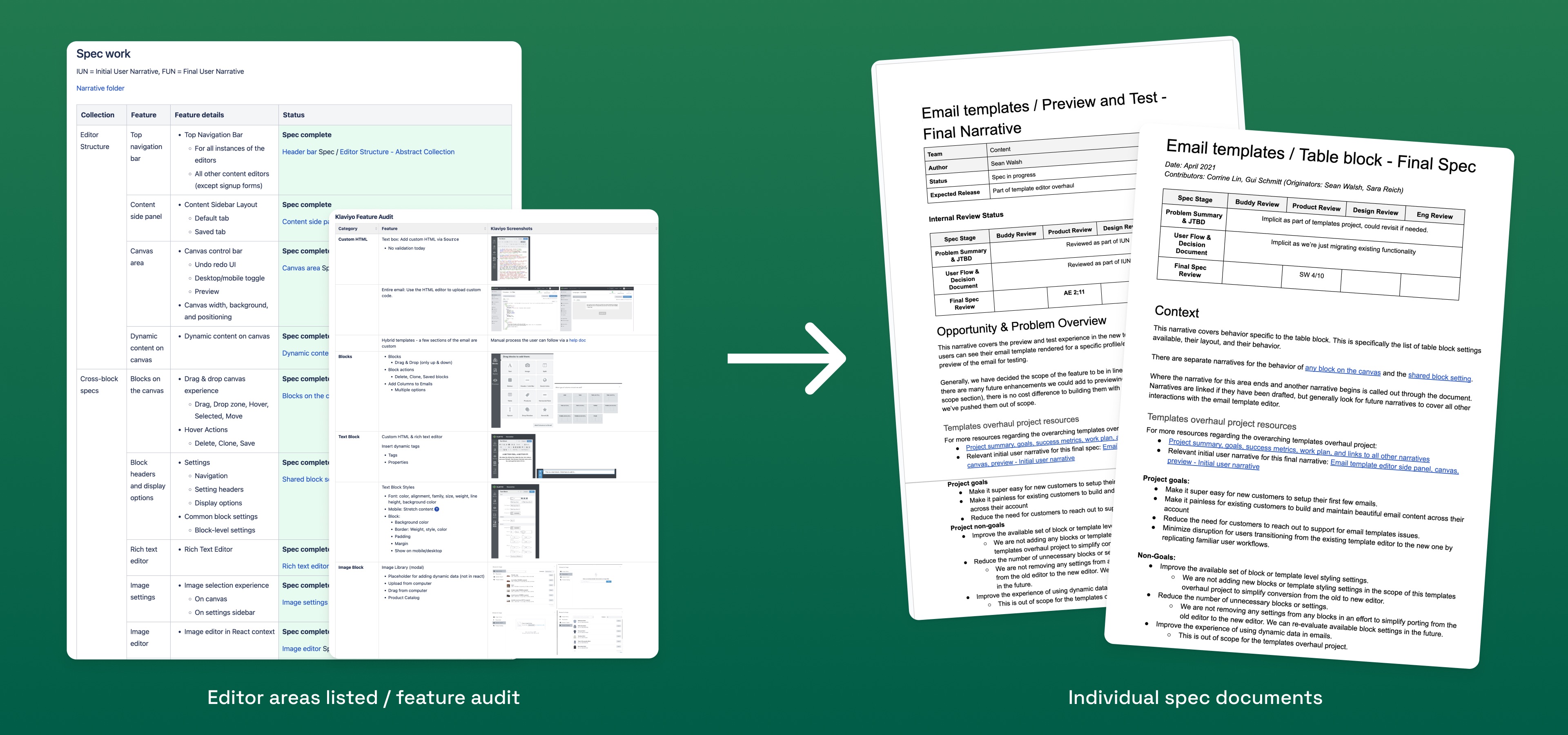
I started with existing design-system patterns. Where a frequently used interaction was difficult to use, I explored other approaches.
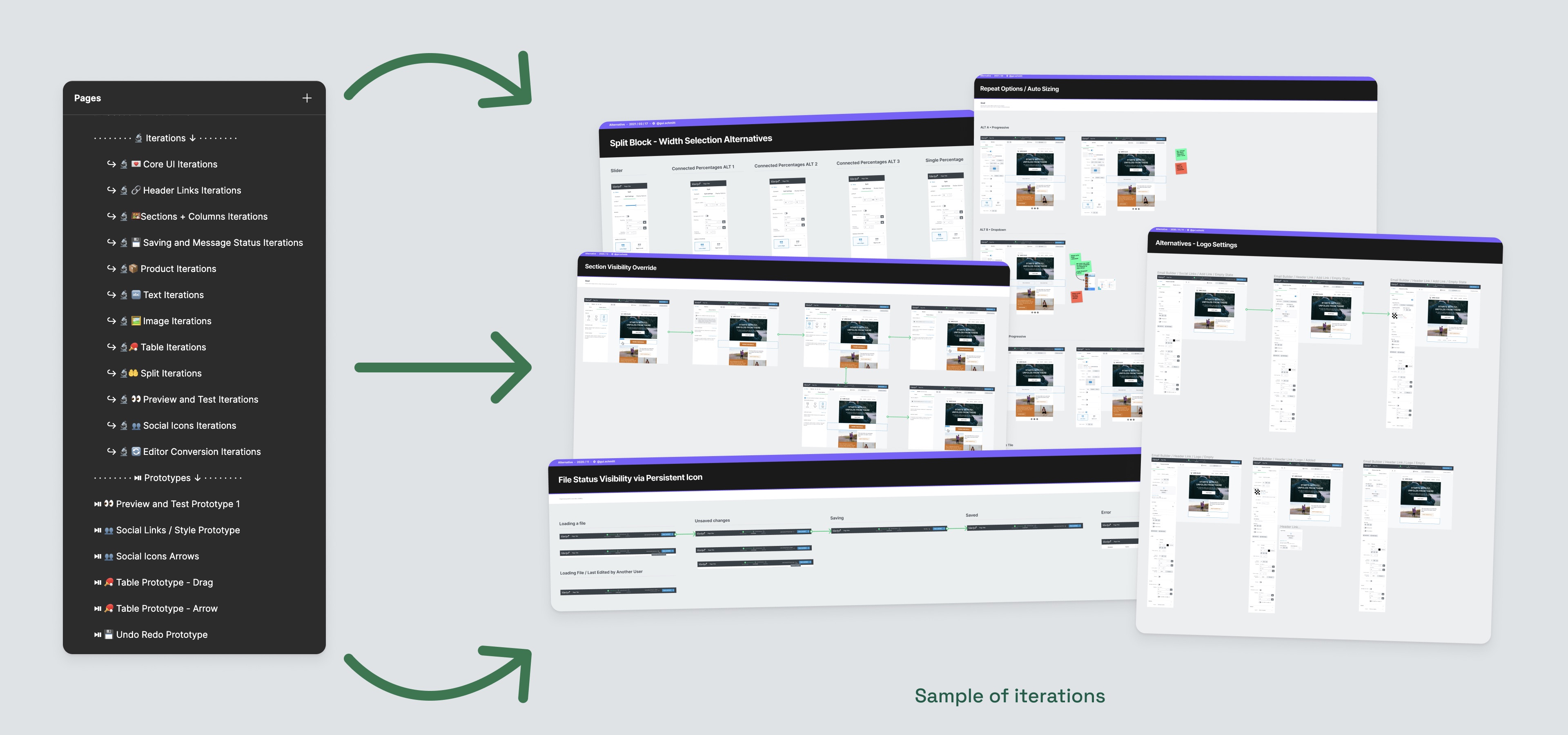
Preview with real customer data
Customers needed to check both the message and its personalized content before sending. The classic editor required them to select a profile before showing a preview. Its personalization tools were also hard to find.
Selecting a profile before previewing a campaign.
Building on the SMS editor
I had been responsible for the SMS editor, where users valued the always-visible preview and the ability to cycle through profiles. Its profile panel also let users copy personalization snippets directly from their data.
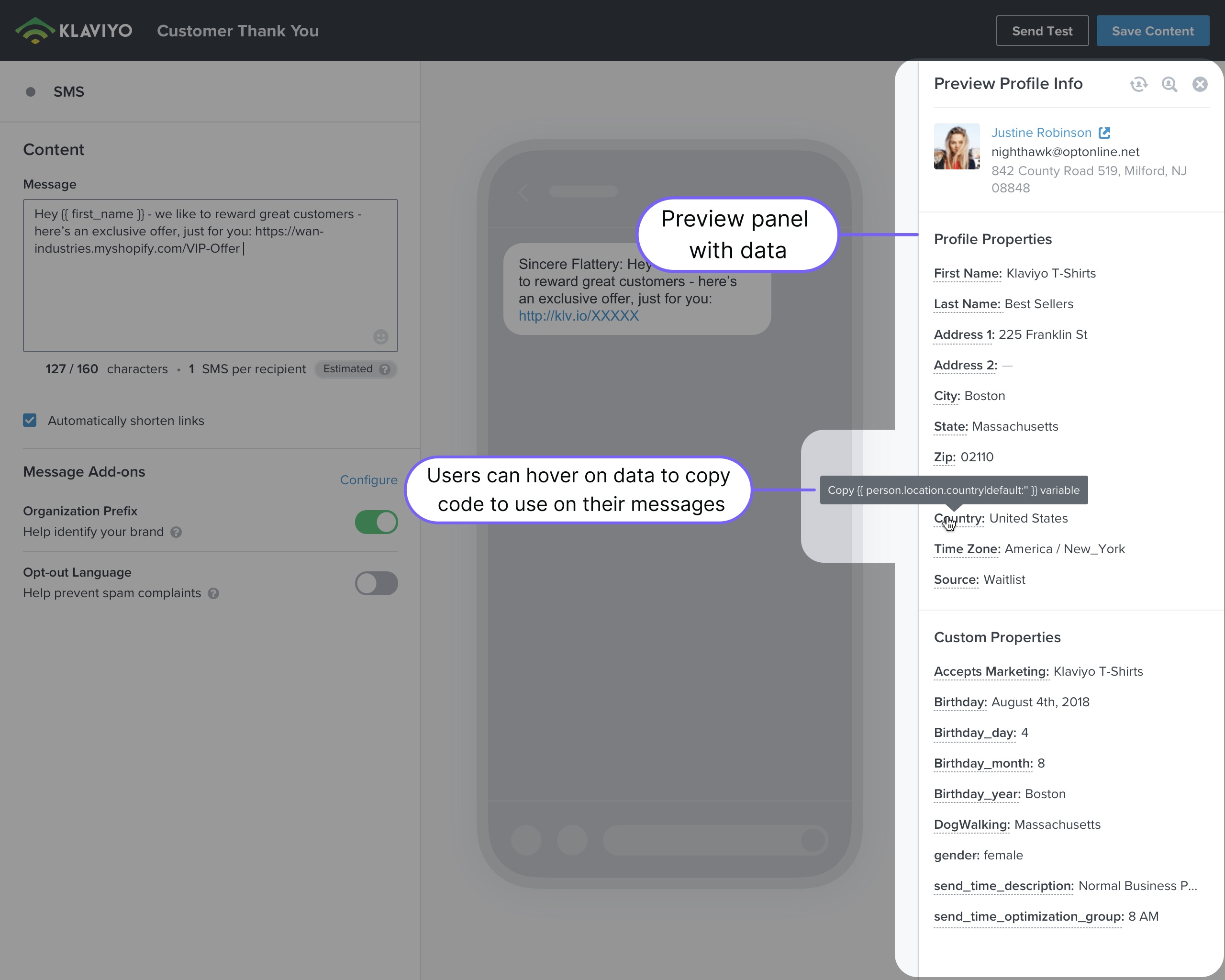
SMS preview explorations
I tried profile controls above the SMS preview, in a sidebar, and in a floating panel. I chose the sidebar because it had room for the full profile data customers needed to check.
The redesigned email preview
The SMS preview could sit beside the message field. Email needed that space for the canvas. I designed a full-screen preview sheet where customers could check recipients and recent events, then copy dynamic content snippets into their message.
Message and data validation together in the preview sheet.

Keep the canvas available
A full-screen sheet brings the preview into the editor without competing with the working canvas.

Check real recipient and event data
Cycle through profiles and recent events to validate personalized content before sending.

Copy personalization snippets
Copy dynamic snippets directly and use keyboard shortcuts to open the preview.
Proposed follow-ups
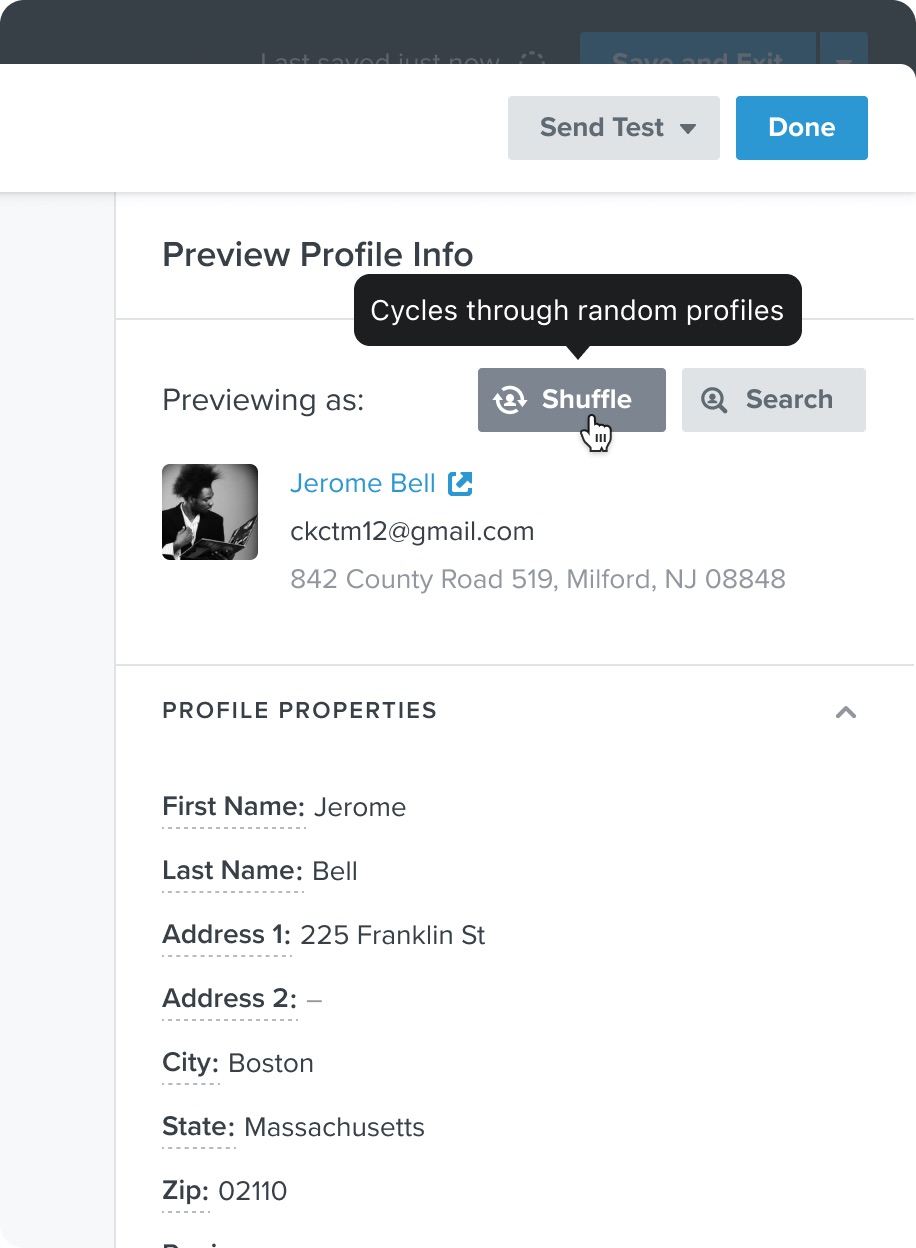
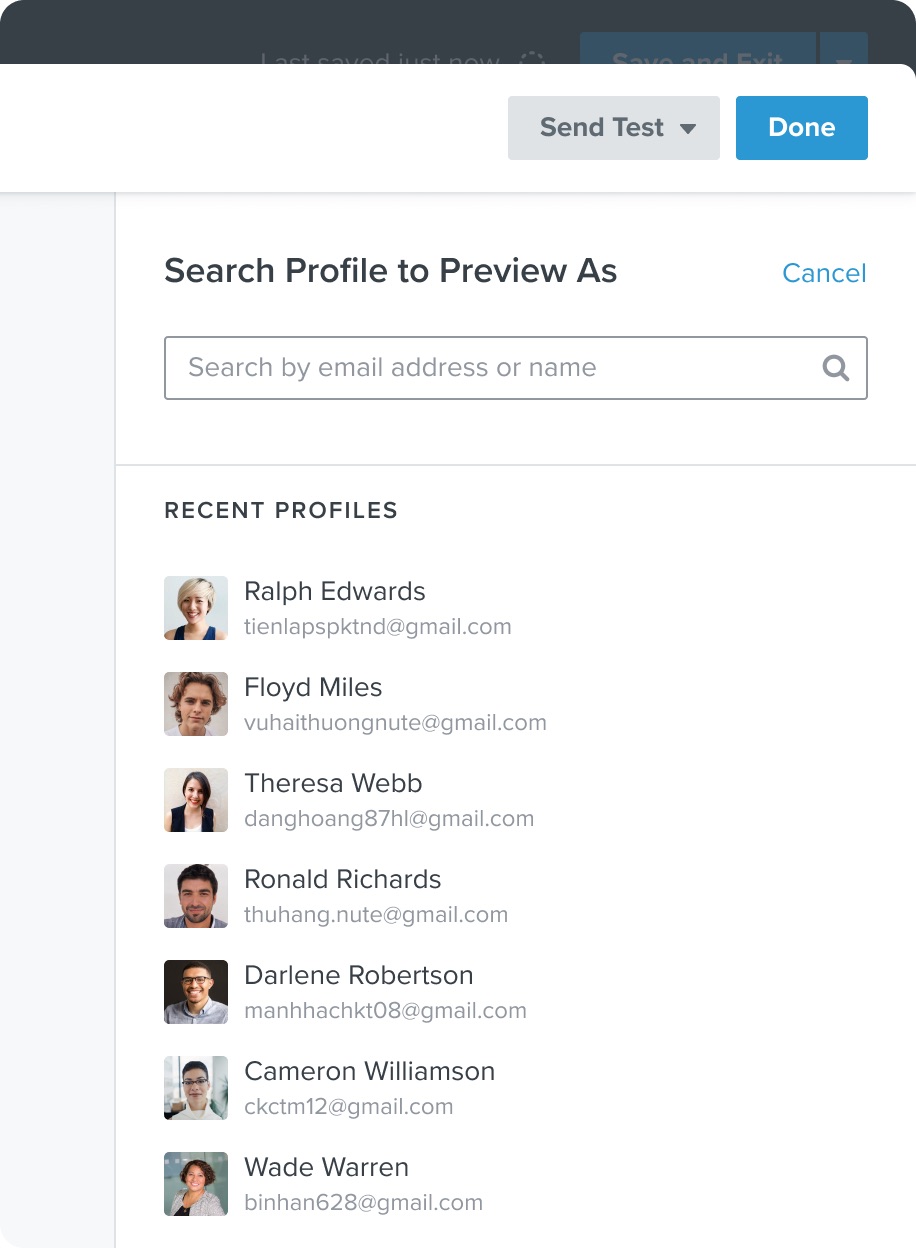
Shuffle and recent profiles were proposed to make profile selection faster.
Shuffle and profile search
Choose another profile without searching.
Search for a profile or revisit recent selections.
Simplify block settings
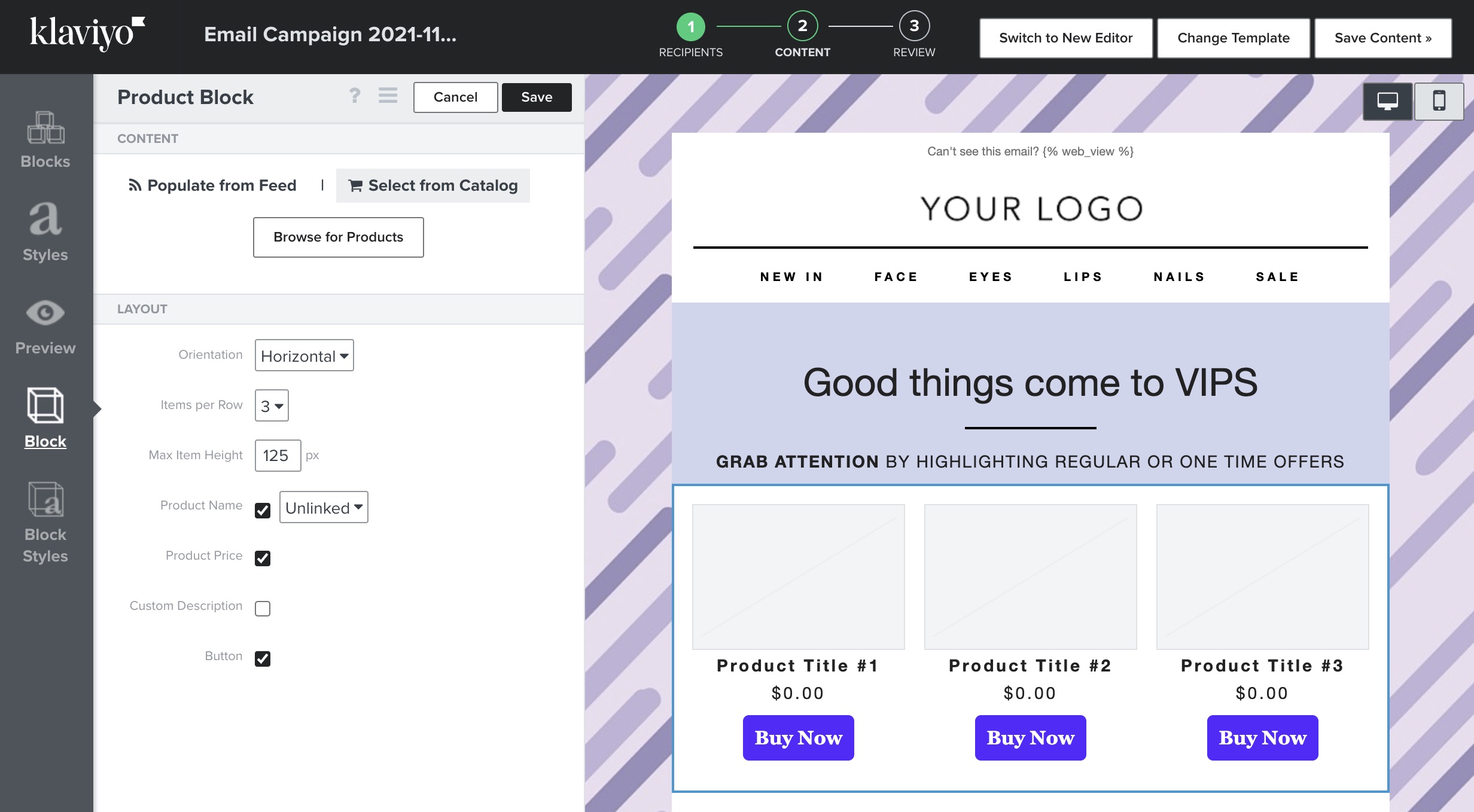
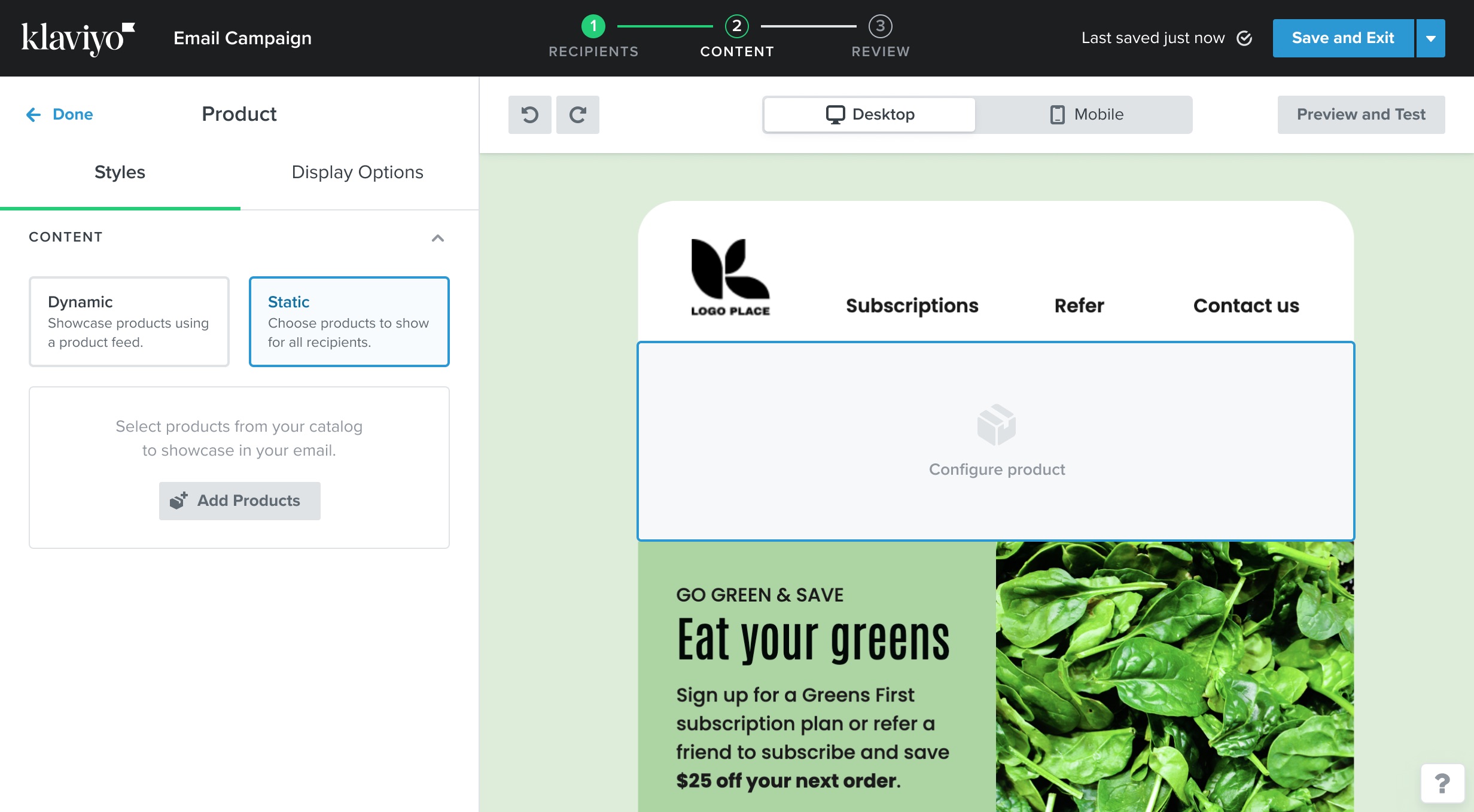
I reorganized the block settings without removing the customization options customers already used.

Guide the setup step by step
Reveal product-block choices in a clearer sequence instead of presenting every setting at once.

Keep advanced settings available
Customers can open the advanced settings when they need them and leave them collapsed during setup.
Product block: before and after
The old product block empty state.
The redesigned product block empty state with a clearer setup sequence.
Group content into sections
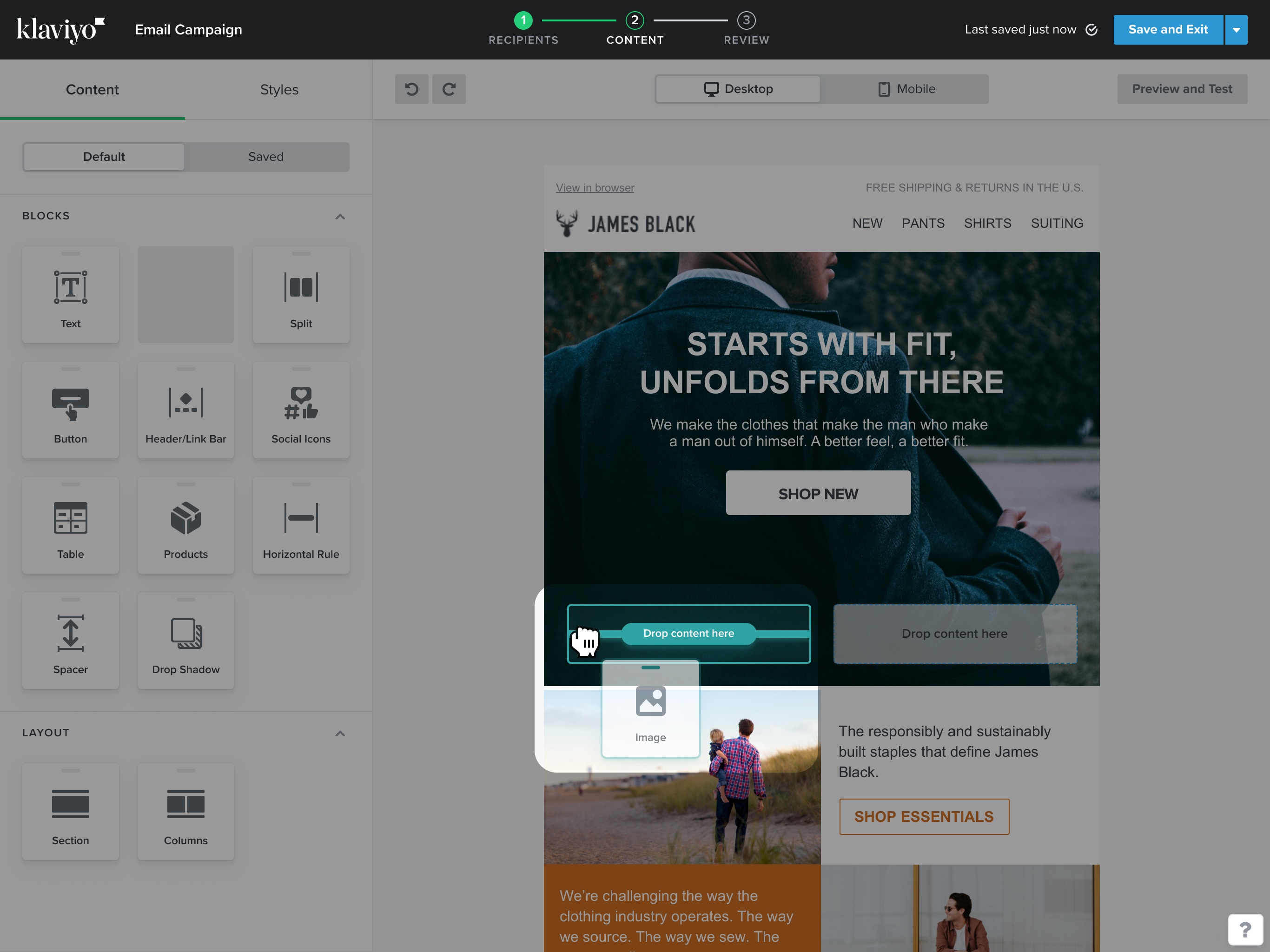
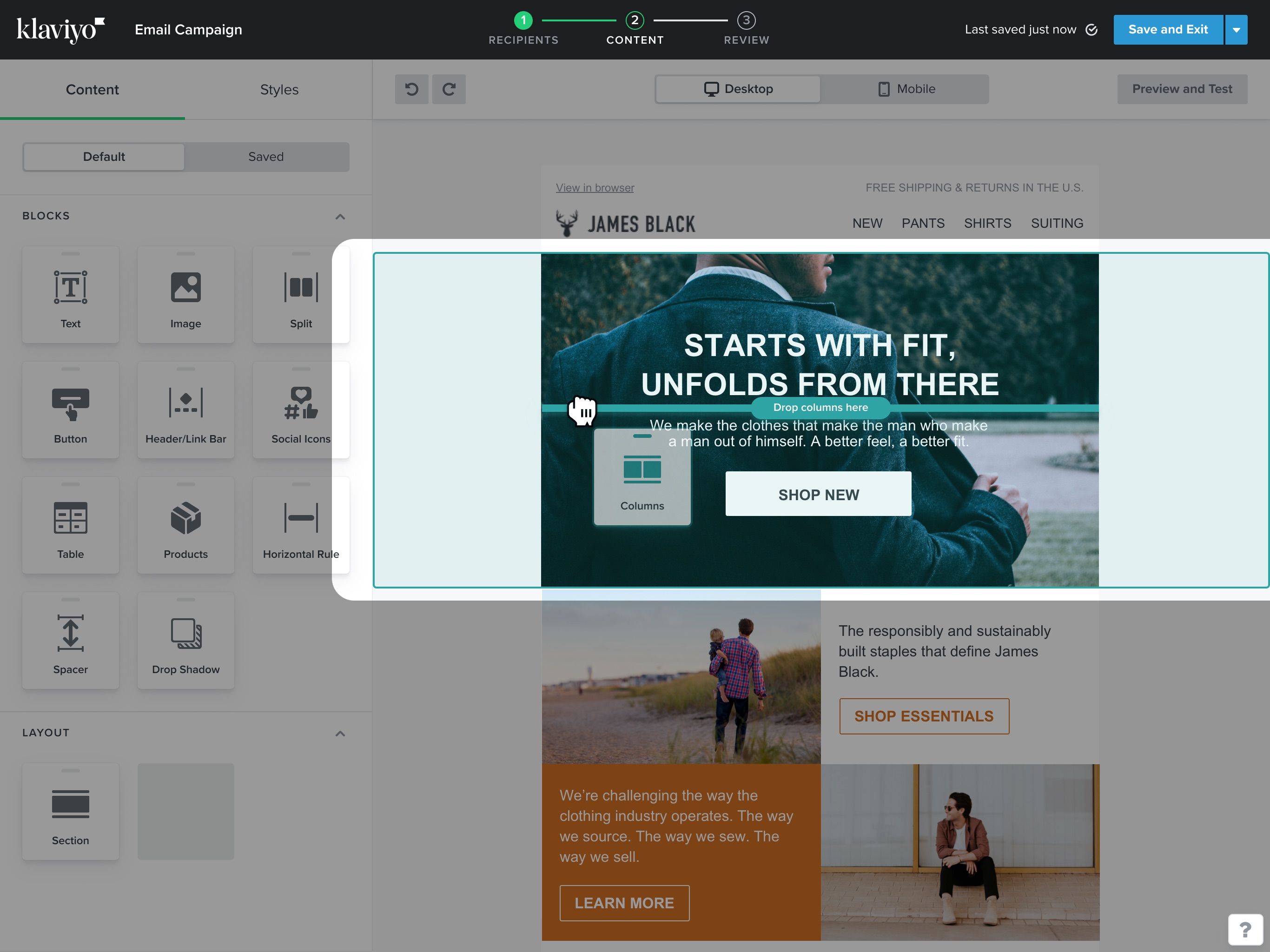
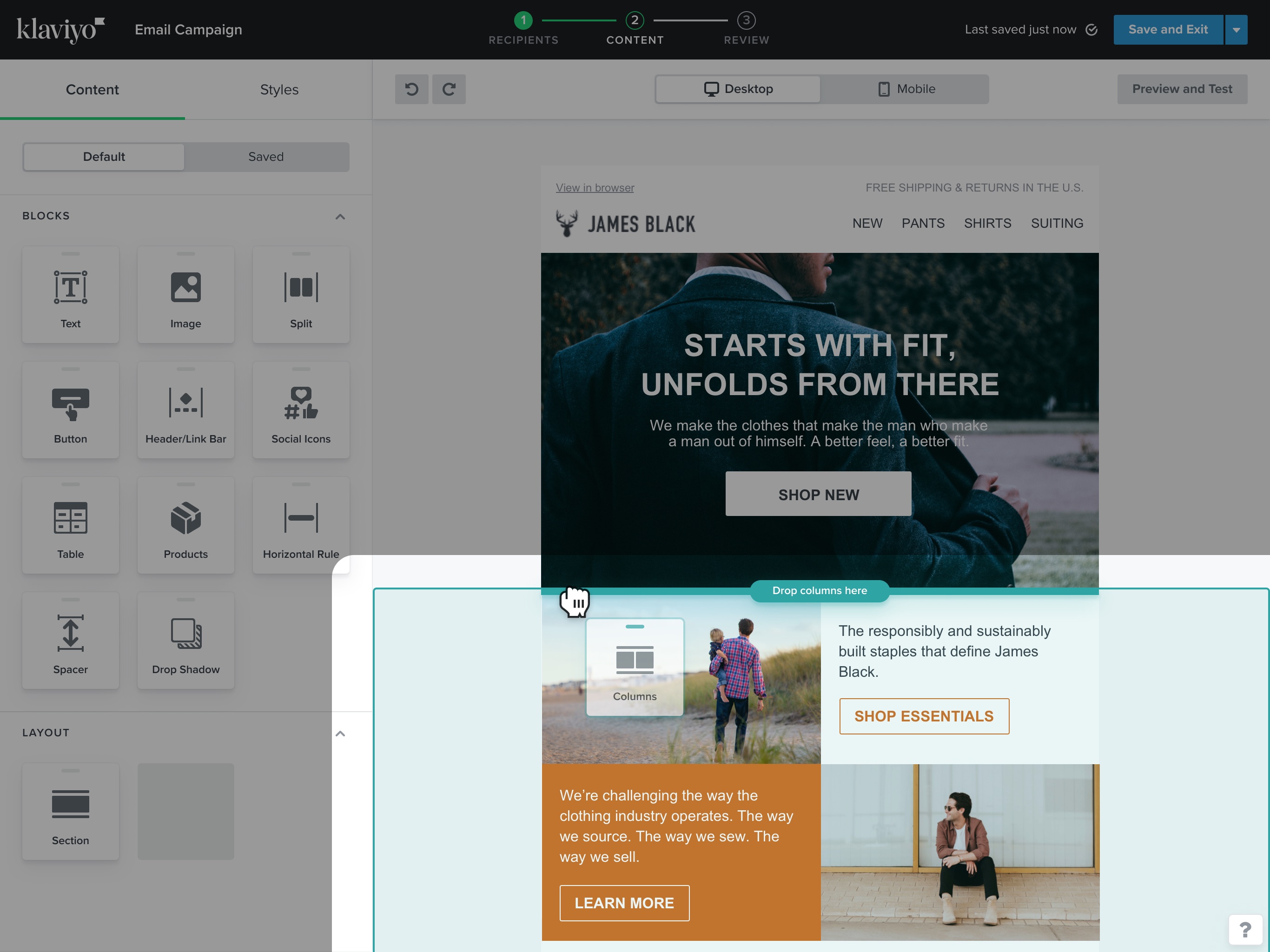
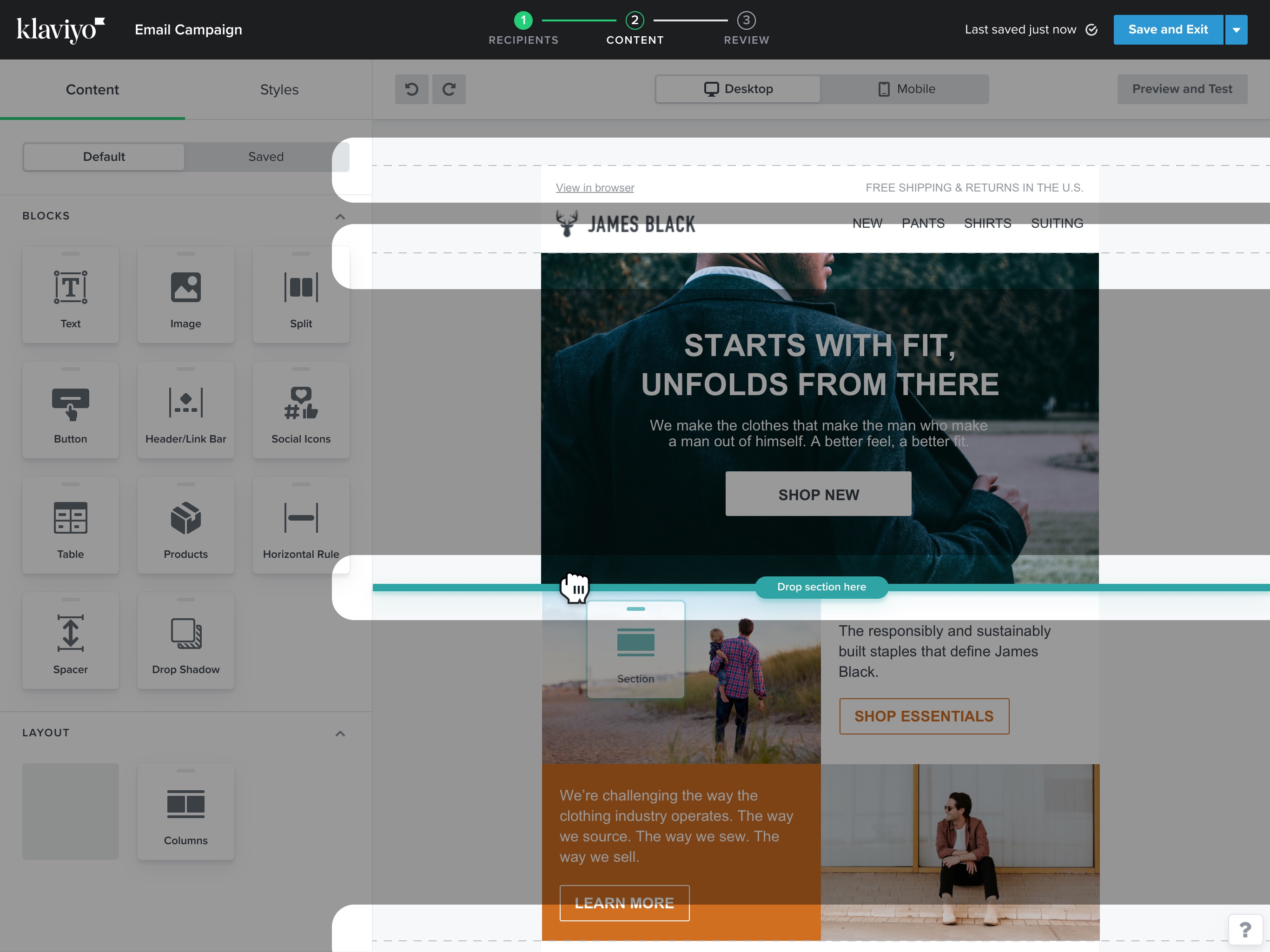
Sections let customers move several blocks together. During a drag, they needed to see whether a block would join a section or stay separate.

See where a block will go
Highlights communicate whether a new block will join a section or remain standalone.

Position a whole section
Section dropzones make placement visible before the user commits.
Redesigned editor: block and section placement
Explore the block placement states.
Feedback while positioning a content block.
An alternate block placement state.
Another block insertion state.
Moving a section containing multiple blocks.
Move from the classic editor
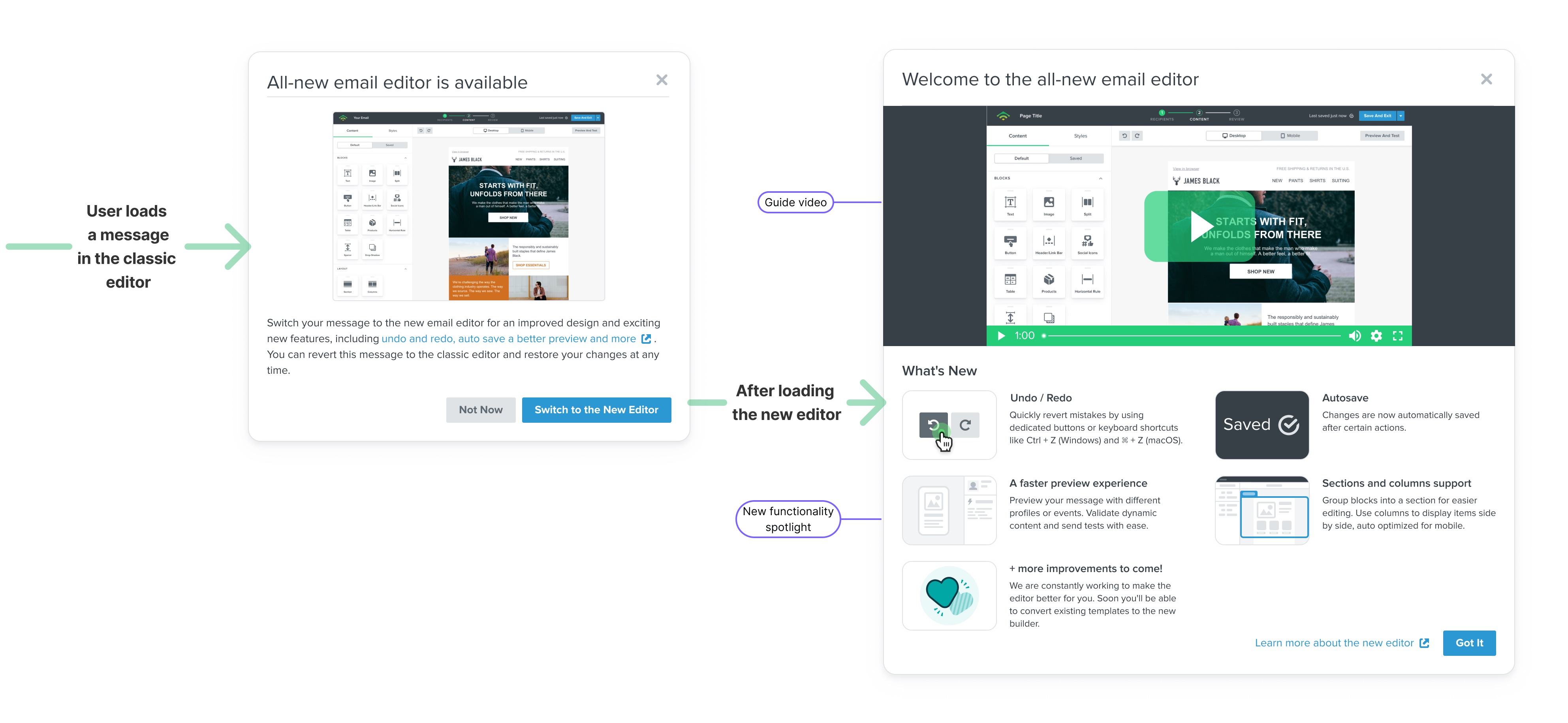
I worked with Product and Content on the release strategy, promotion, and the workflow for converting existing messages.
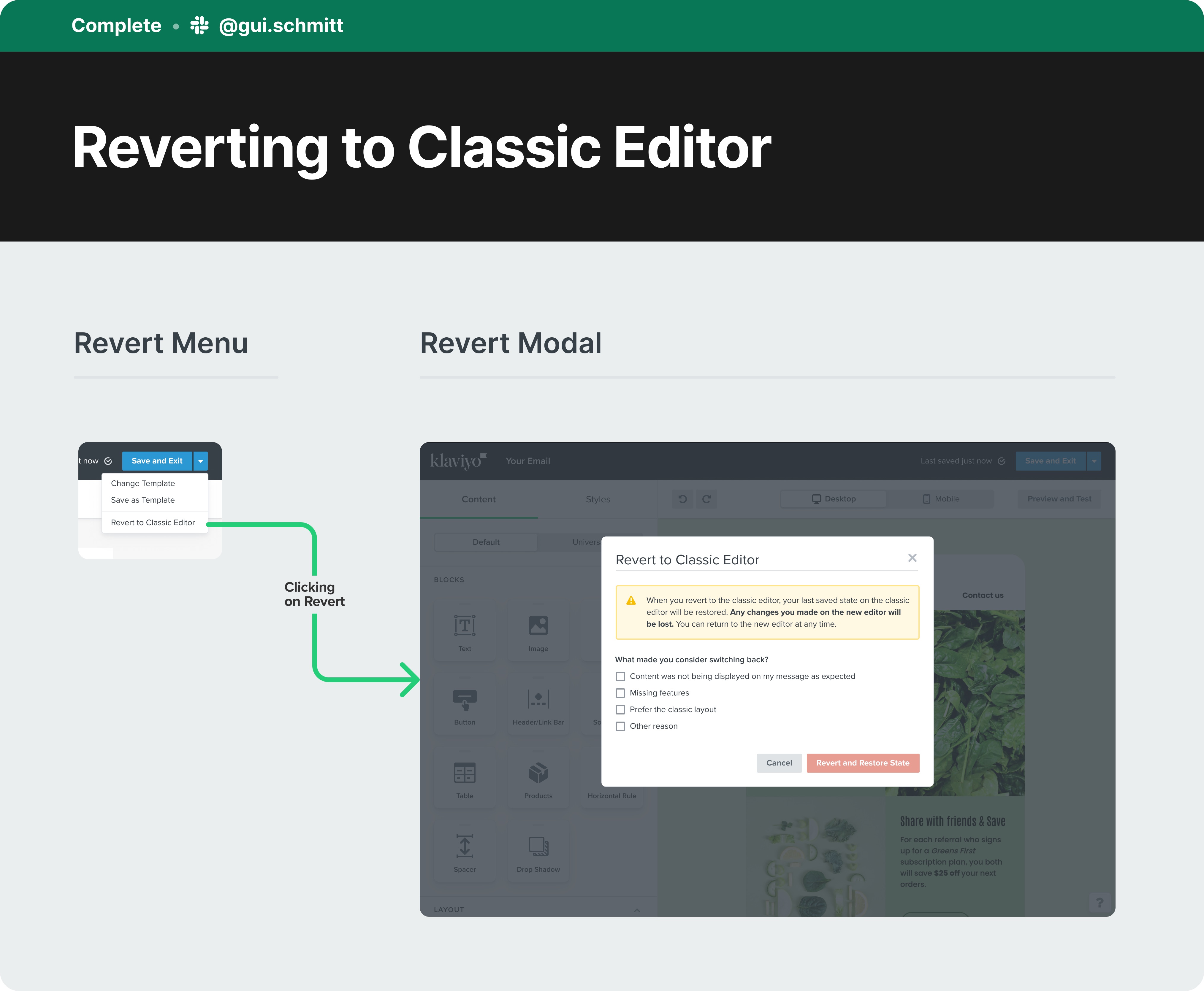
Customers could try the new editor and switch back to the classic version. When they switched back, a modal asked why. We used that feedback ahead of the broader migration.
After conversion, an onboarding modal introduced the new features. I proposed adding that pattern to our design system for other teams to use.
Customer response
What people noticed
Sections, clearer editing, and previews with live data stood out in the feedback customers shared.
“The editor is amazing, I absolutely love Sections — it is a game changer.”
“The email builder tool - best WYSIWYG tool out there for building emails! Combined with the ability to preview with live data, it's a powerful tool for combining design and functionality”
“I love the template builder and pre-built flows. Both features are huge for enabling small and agile teams to create and share their messages.”
Shared by customers
Sarah Kemp (@SarahHMuir)
October 10, 2022
The masterful @klaviyo strikes again! The new editor incorporates all of the feedback I've given when asked about my experience and has taken what was already the dream tool, to the next level. Great work.Read original post ↗
Abhisheek (@AbhisheekPatra)
November 5, 2021
Not sure if I am late to see this but love the new template editor from @klaviyoIt is way more clearer and the best part is that we have no the redo and undo buttons (arrows).Another hidden gem is the "Preview and Test" - now we can use events right from within the template. pic.twitter.com/8QqOyeBIAXRead original post ↗
jacob sappington (@jsappington)
September 23, 2022
One of the best things about Klaviyo's new editor is the new table builder IYKYKRead original post ↗
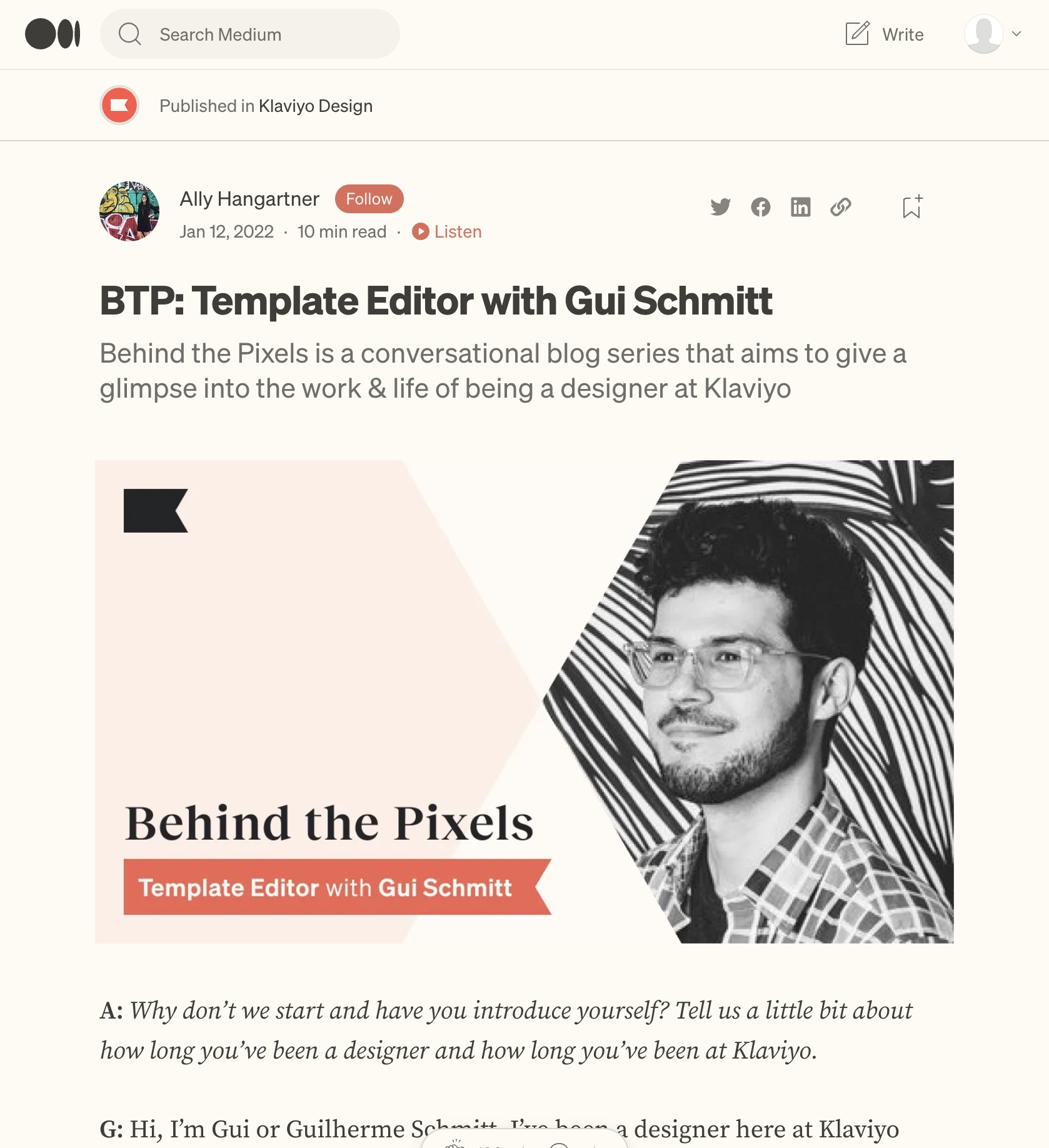 More about the processRead the interviewBehind the Pixels on Medium ↗
The team
Product
Corrine Lin, Sean Walsh
Design
Gui Schmitt, Julie Lungaro, Sara Reich, Don Ton
Engineering
Vidhu Bhatnagar, Dillon Jones, Lindsey Curran, Nikita Shenkman, Daniel Kezerashvili, Chad Furman, Adrian Baker