MUPA
Personal graduation thesis / Product design
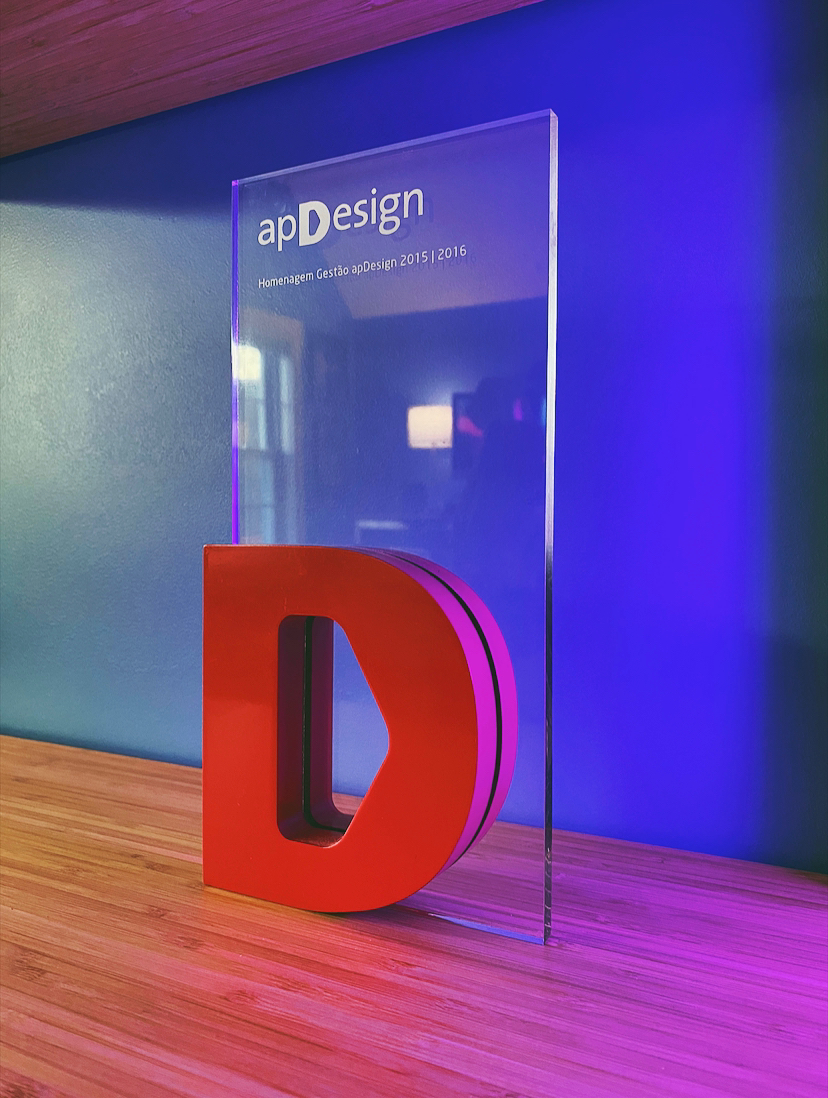
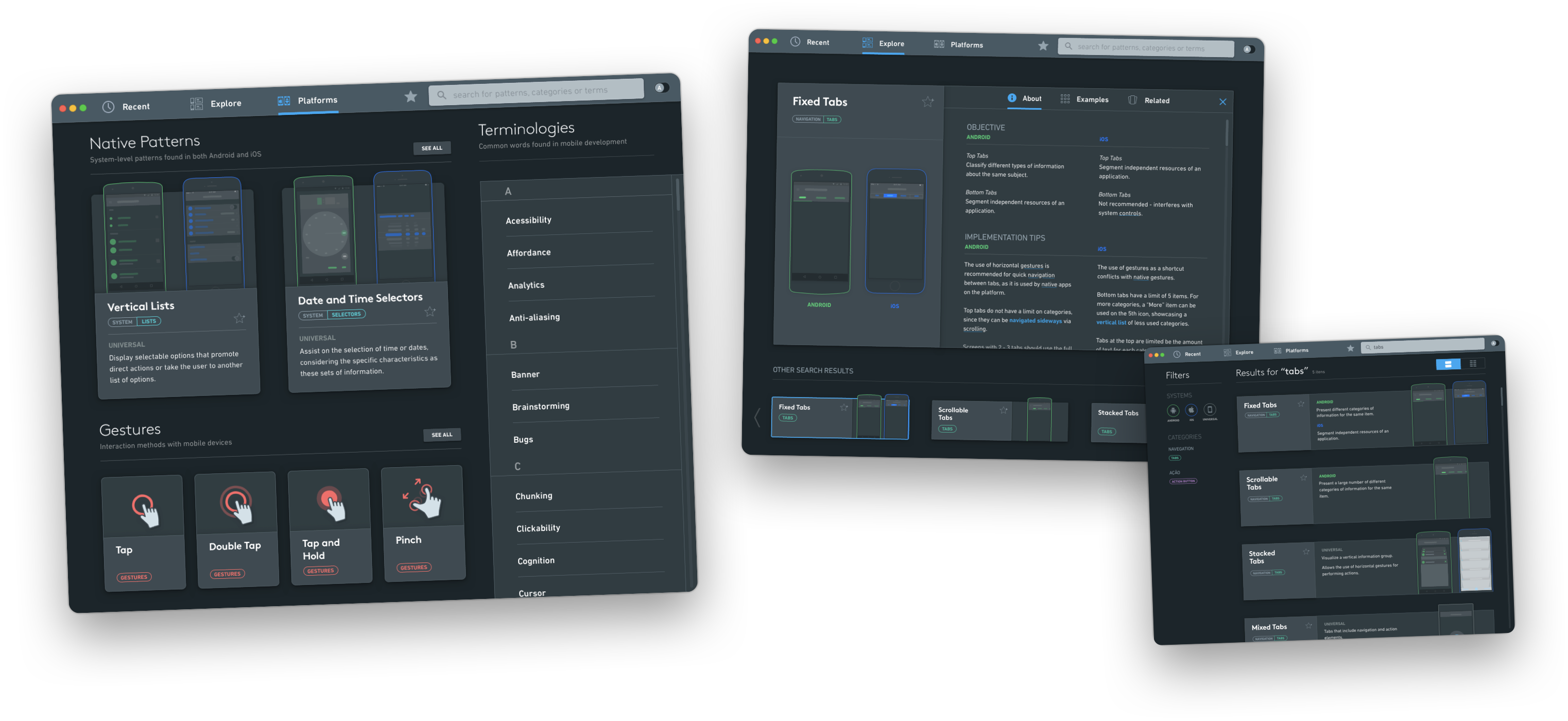
I designed MUPA for my graduation thesis after struggling to learn UX from a graphic design background. The desktop app concept helps designers find, save, and compare iOS and Android patterns. It received the 2016 ApDesign Thesis Recognition Award.
THE PROBLEM
Patterns without enough context
When I moved from graphic design into UX, I struggled to find resources that explained mobile patterns in enough detail to use them. Screenshot collections showed the result but rarely the reasoning. In-depth articles were useful, but hard to consult in the middle of design work.
FOR ASPIRING DESIGNERS
Explain the pattern
New designers needed more than examples. I wanted the tool to explain when a pattern works, where it falls short, and why someone might choose it.
FOR EXPERIENCED DESIGNERS
Find it during design work
Experienced designers needed to find a pattern and compare platform conventions without stopping their work for a long research session.
The design question
How could a desktop tool help designers learn mobile patterns and compare them while working?
Process
Research for the thesis
The first volume of my thesis covered research into the tool’s scope, needs, and goals.
Books
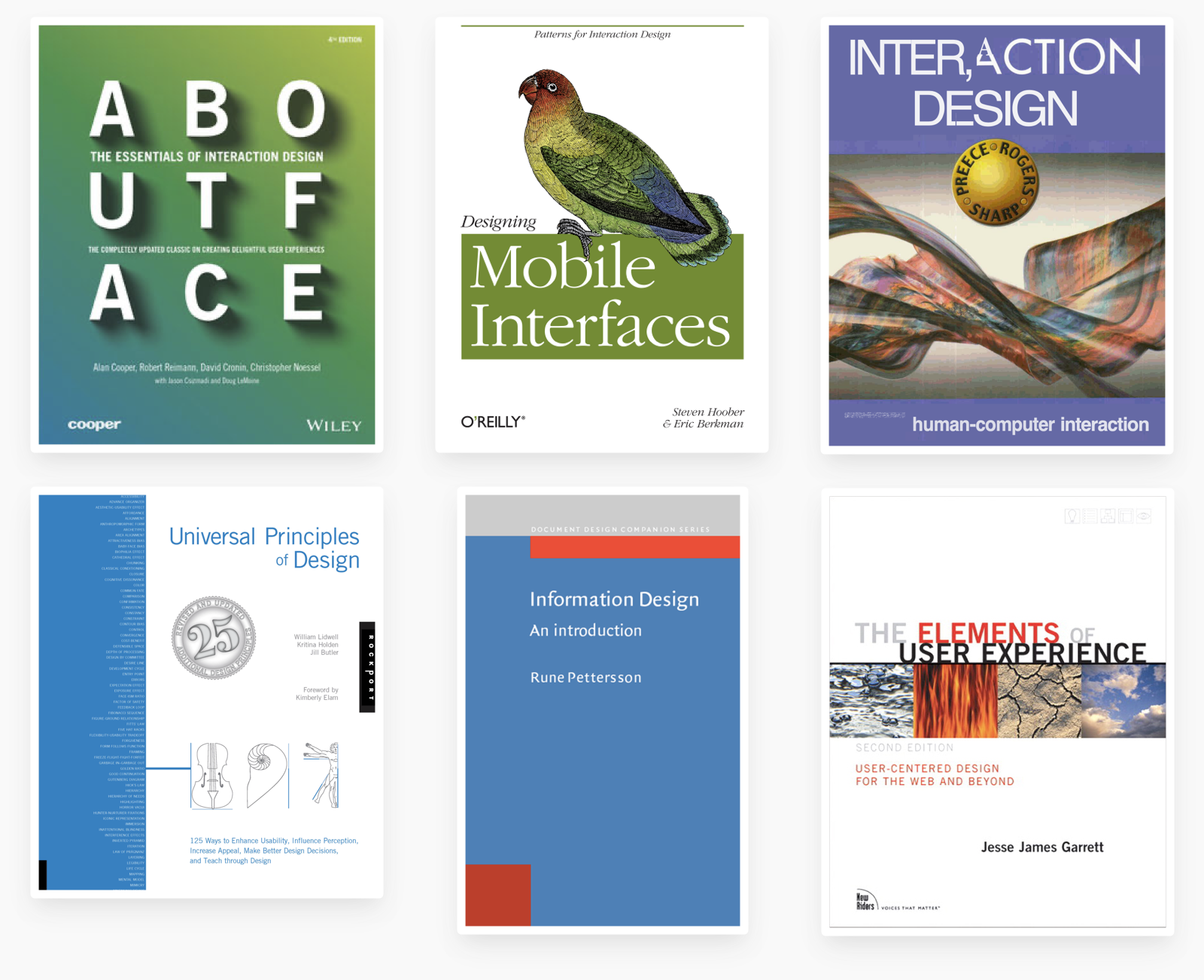
About Face: The Essentials of Interaction Design
Visual interface design for digital cultural heritage: a guide to rich-prospect browsing
The Elements of User Experience: User-Centered Design for the Web and Beyond
Designing Mobile Interfaces
Conceptual models: begin by designing what to design
Universal Principles of Design
Information Design: an Introduction
I also used Apple’s Human Interface Guidelines and Google’s Material Design guidelines for each platform’s recommendations.
Choosing patterns
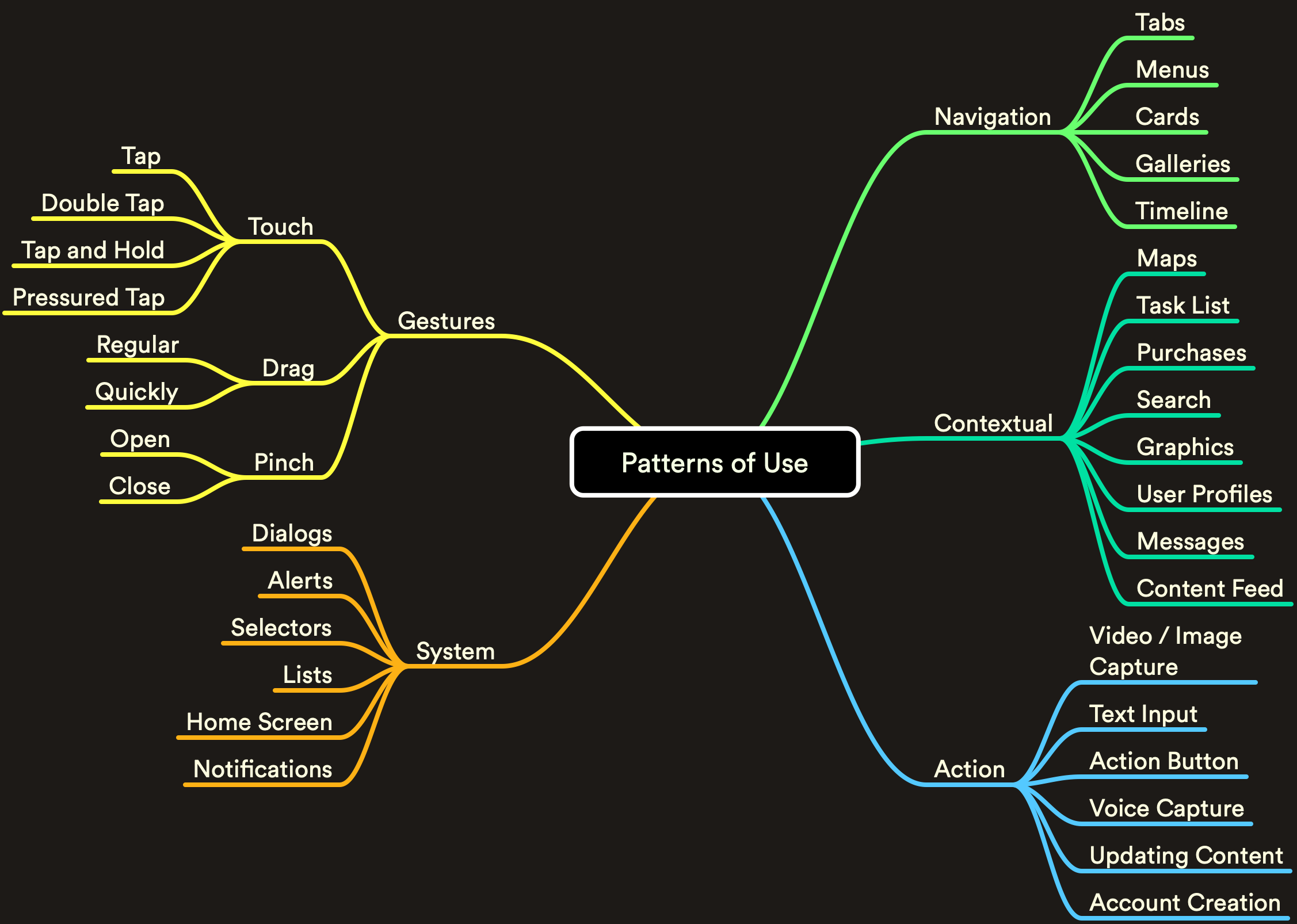
I selected structural patterns for designers new to UX, alongside more detailed patterns for comparing iOS and Android conventions.
Structure
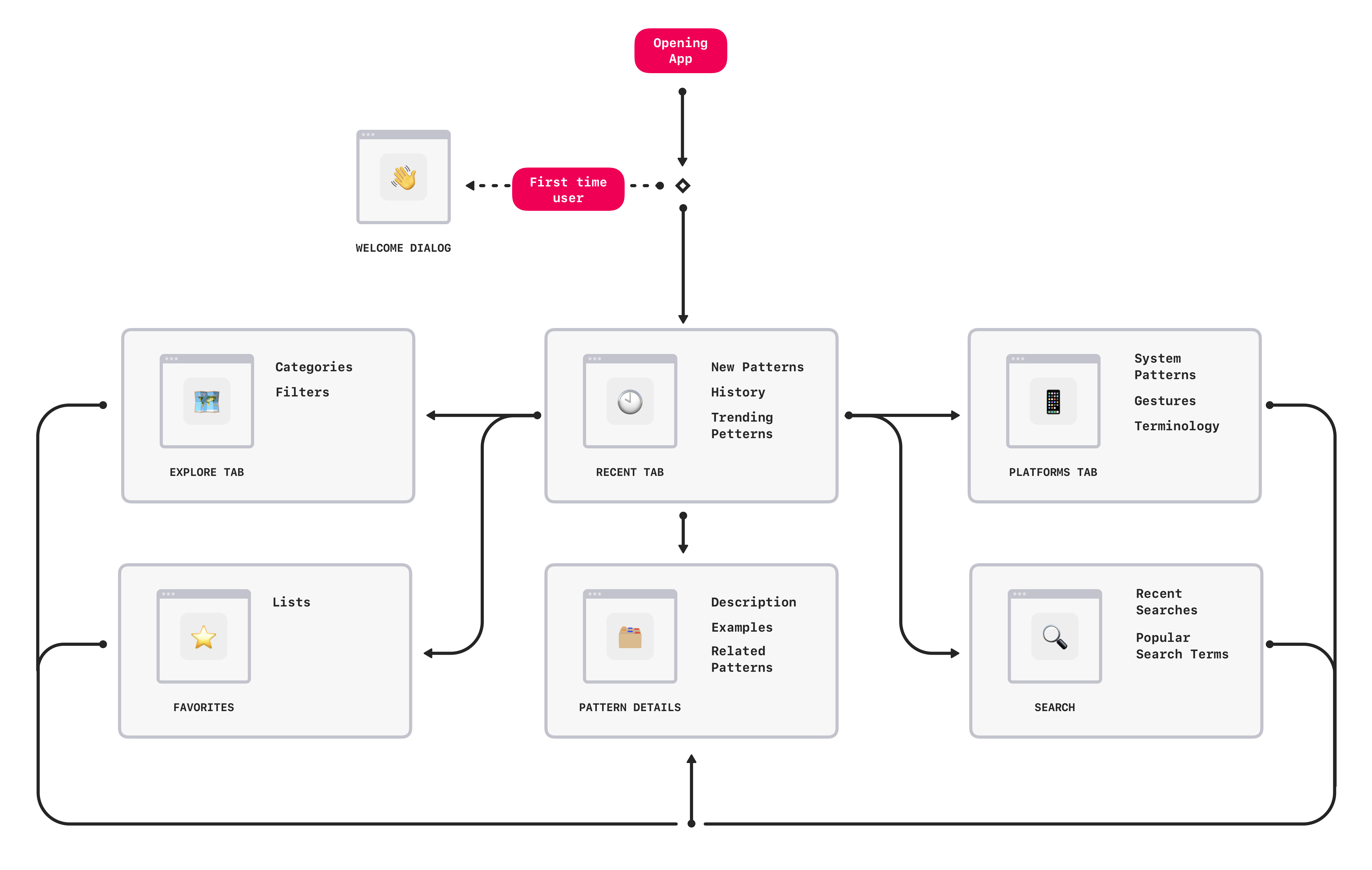
I designed two entry points: Platforms for learning system conventions, and Explore for finding specific patterns. Collections let designers save patterns for reference and compare them during a project.
Sketches & wireframes
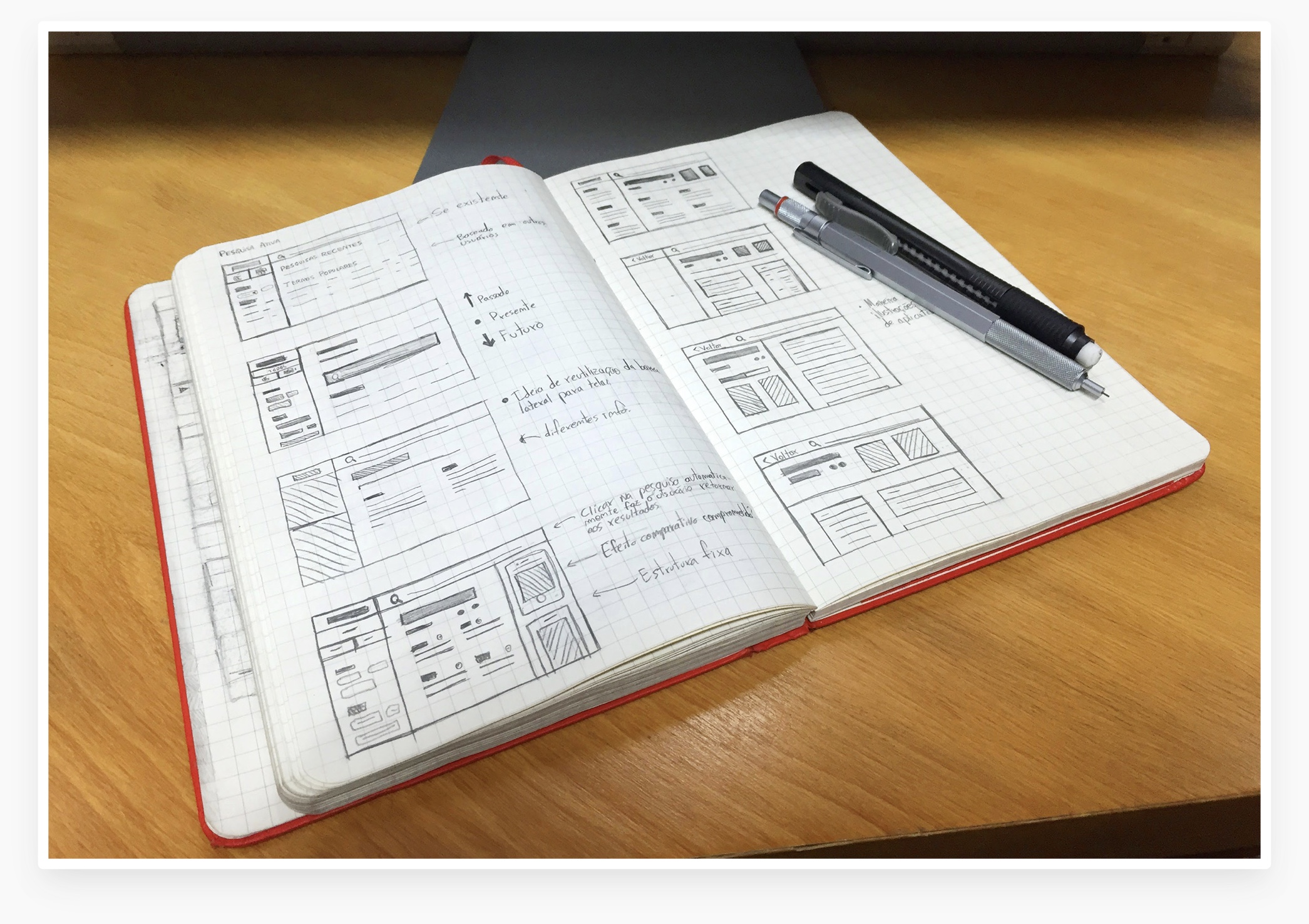
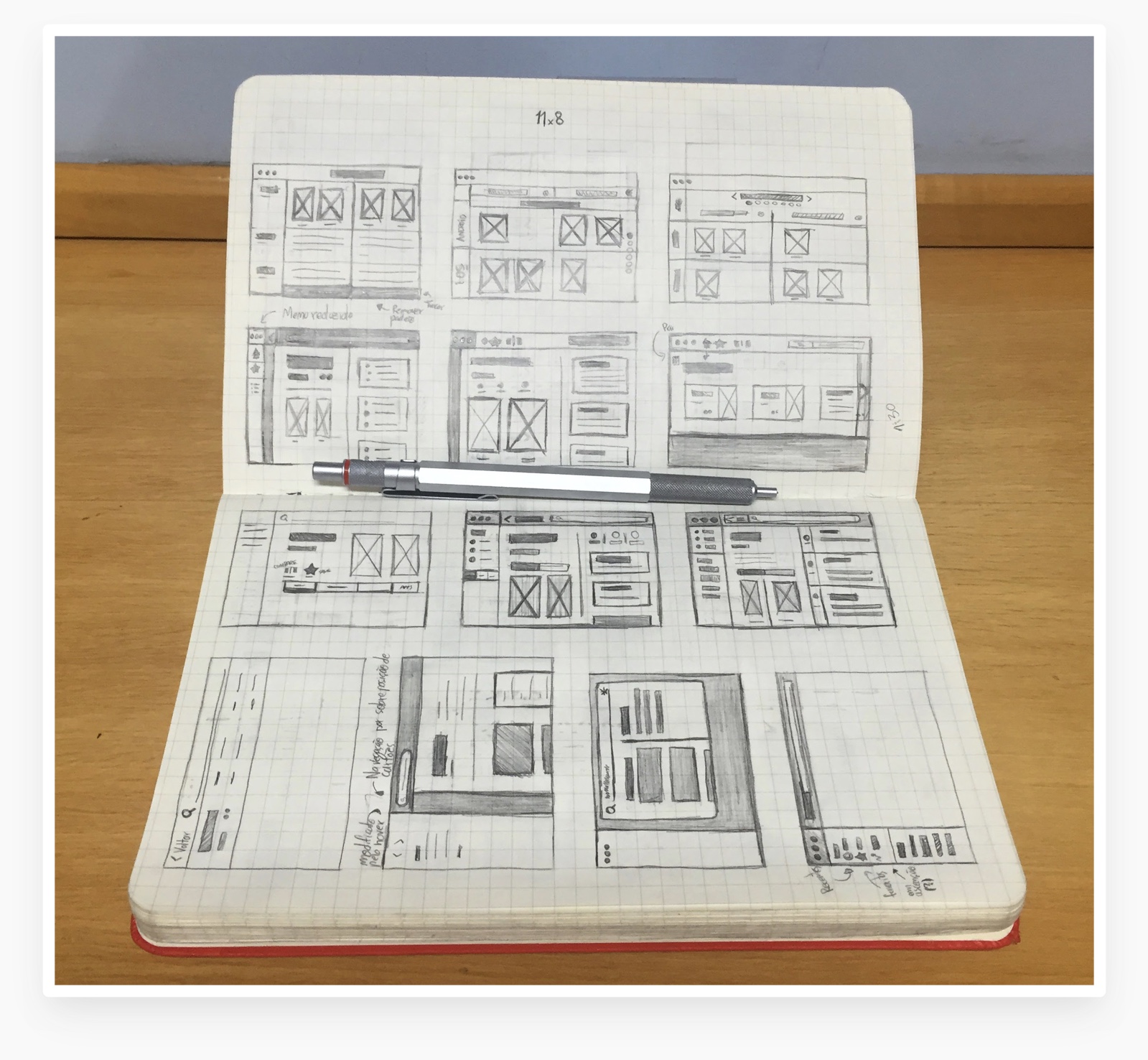
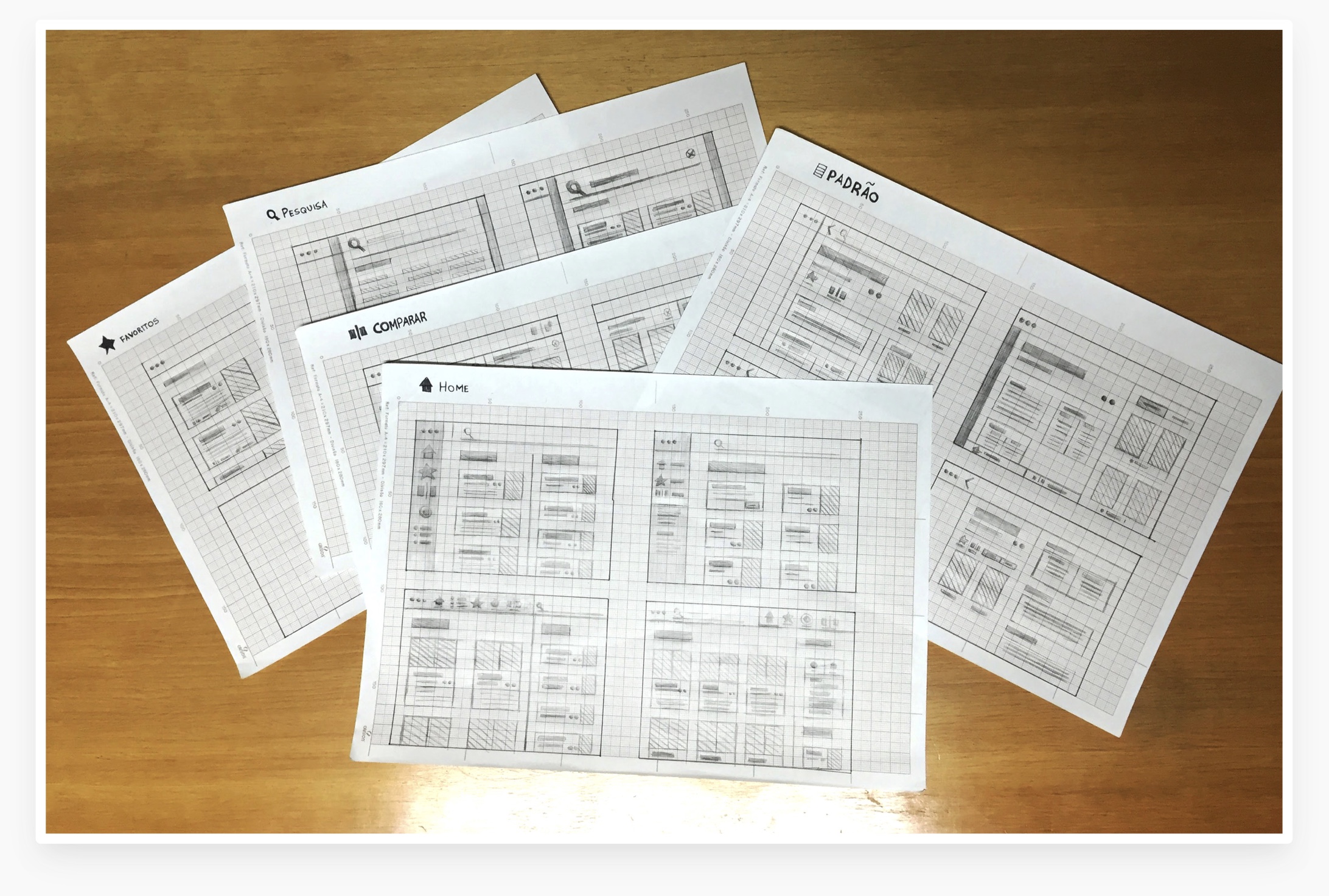
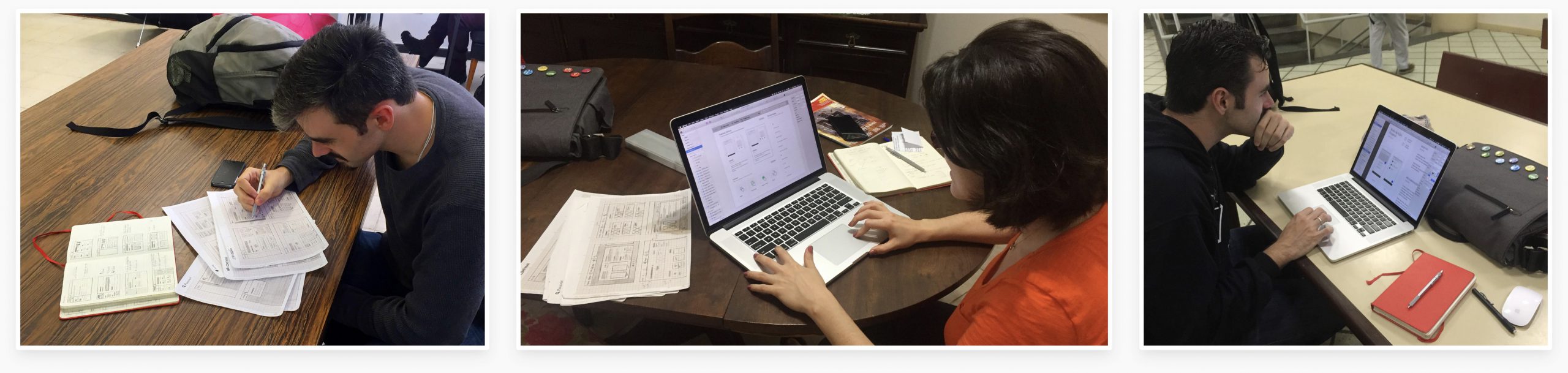
I sketched navigation options and built wireframes to test how much information to show at each step. More detailed controls needed to be available without getting in the way of browsing.
Interviews and early testing
I interviewed UX designers from my college about the idea, then tested sketches and wireframes to check whether they understood the app’s structure and purpose.
Content
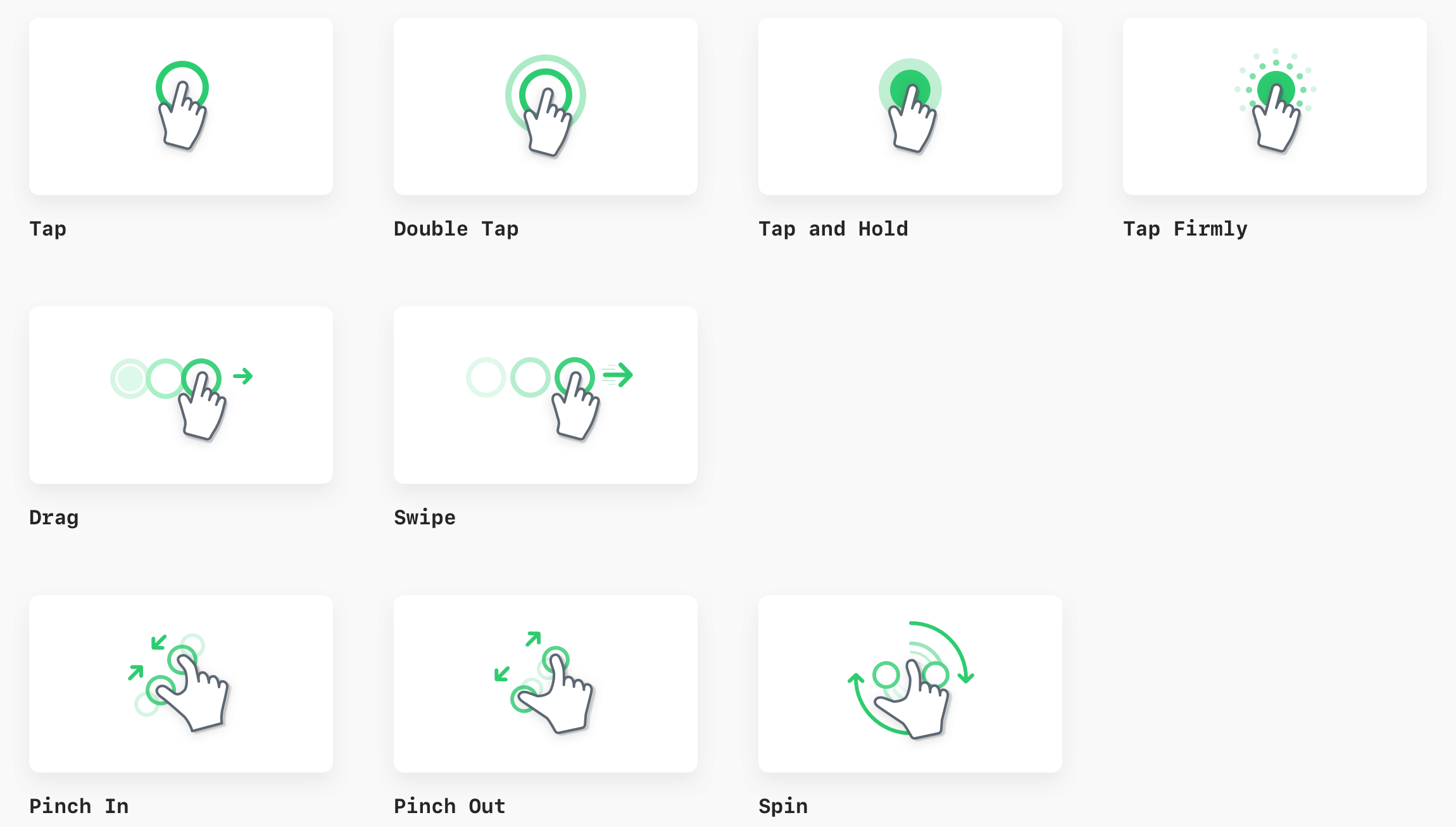
Gestures
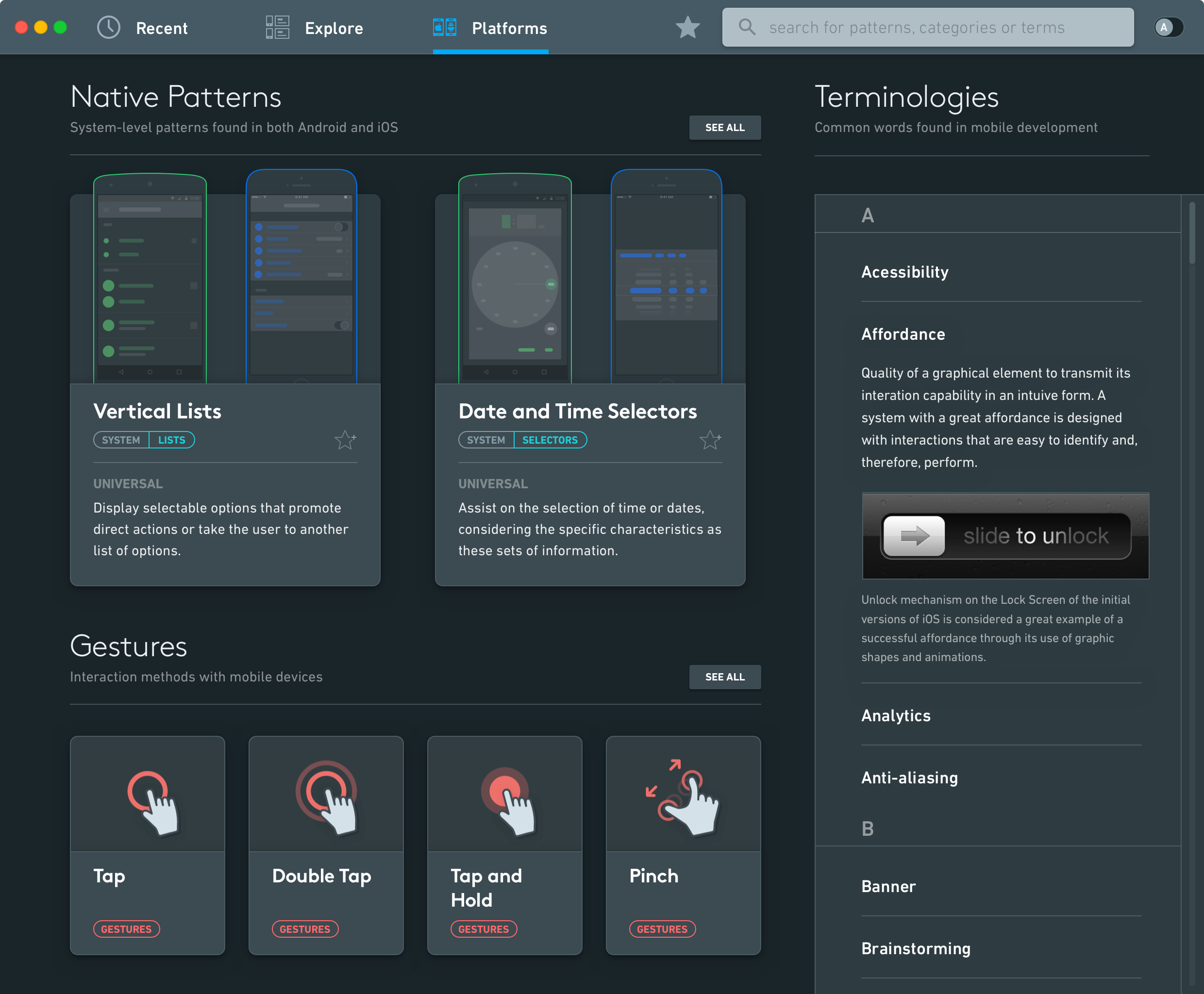
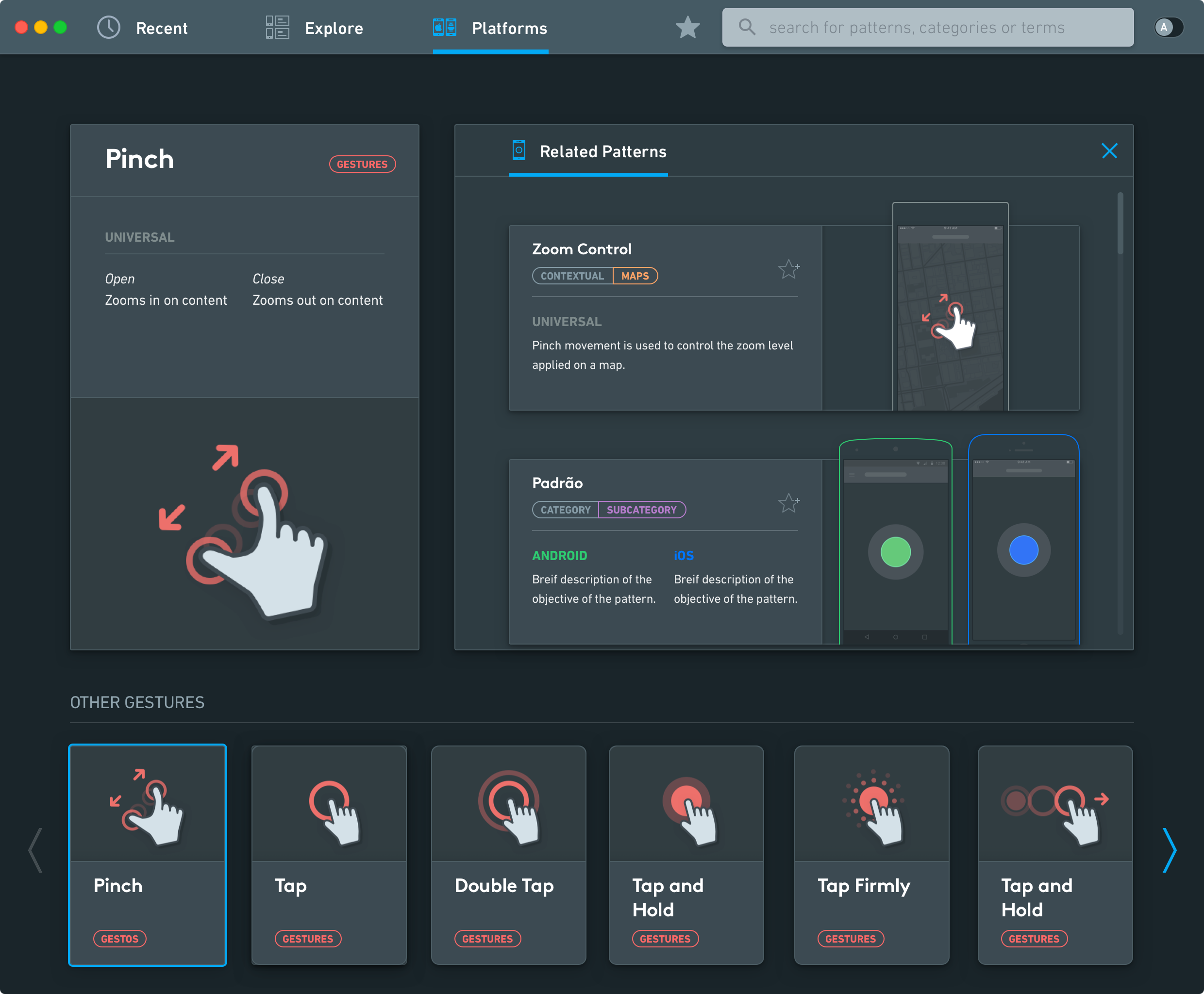
I created illustrations of common mobile gestures to explain how each interaction works.
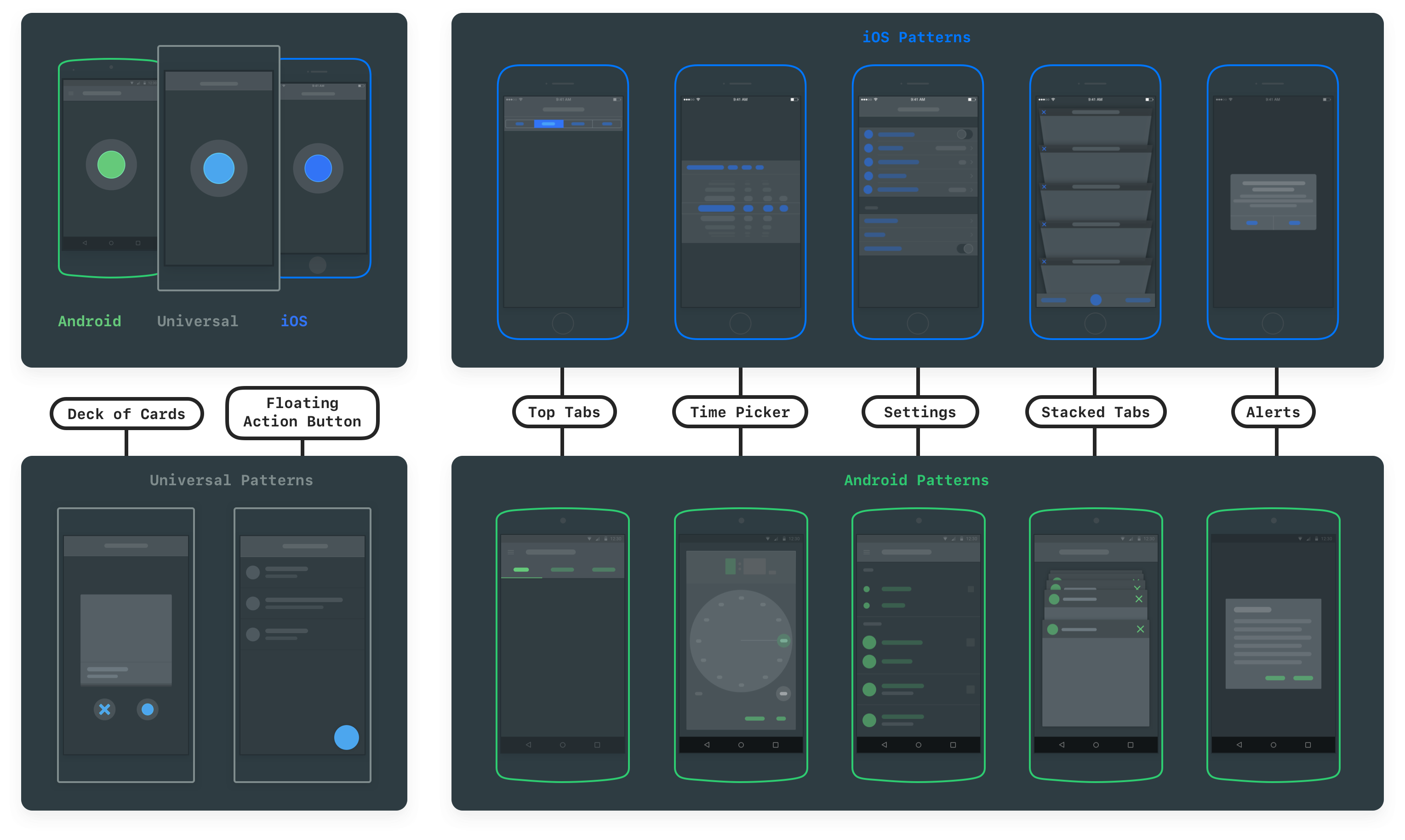
Patterns
I illustrated patterns with abstract shapes to keep attention on how they work rather than a particular app’s styling.
App icon
I designed the macOS icon using Apple’s guidelines at the time.
App icon


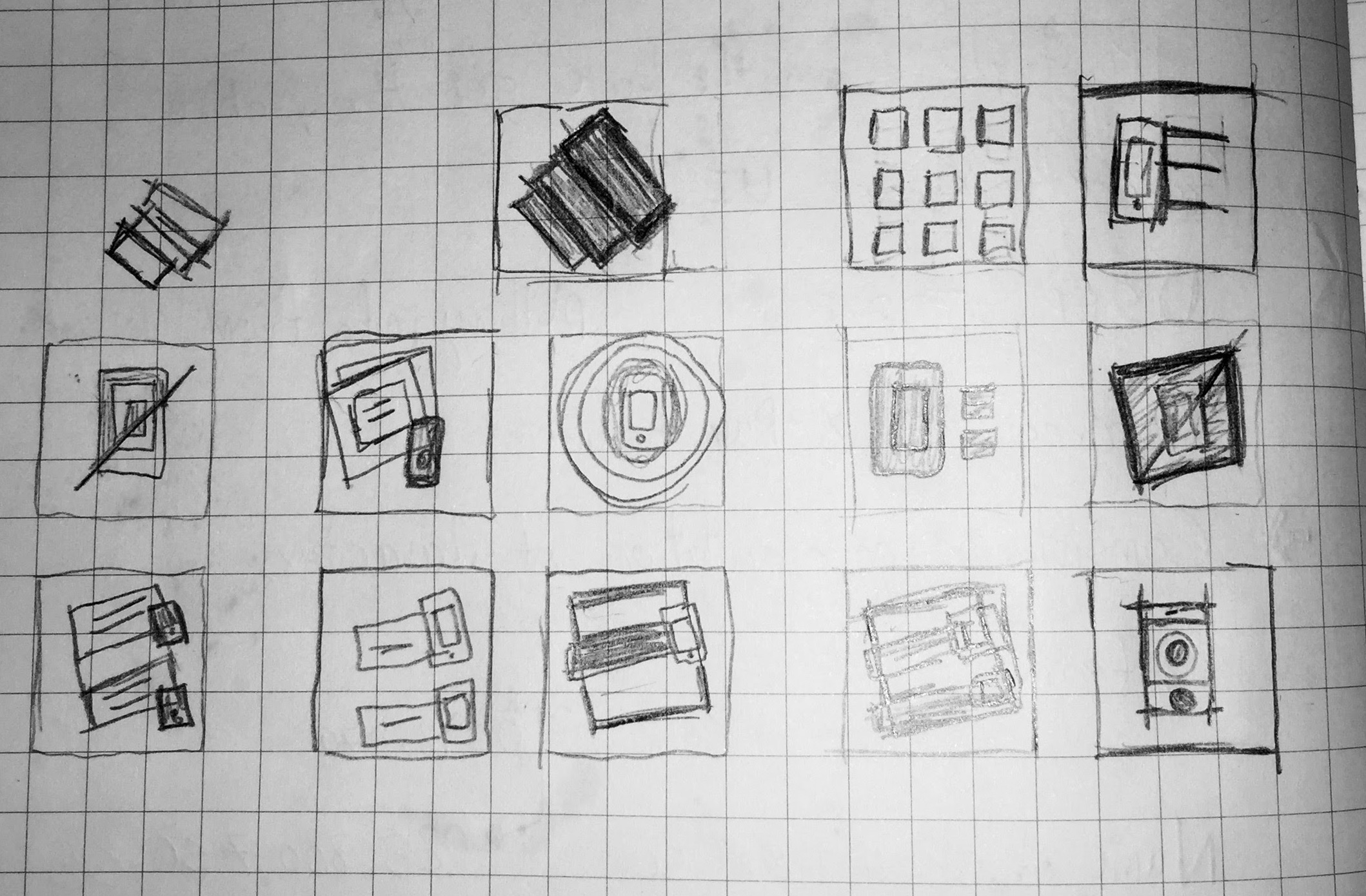
ICON SKETCHES
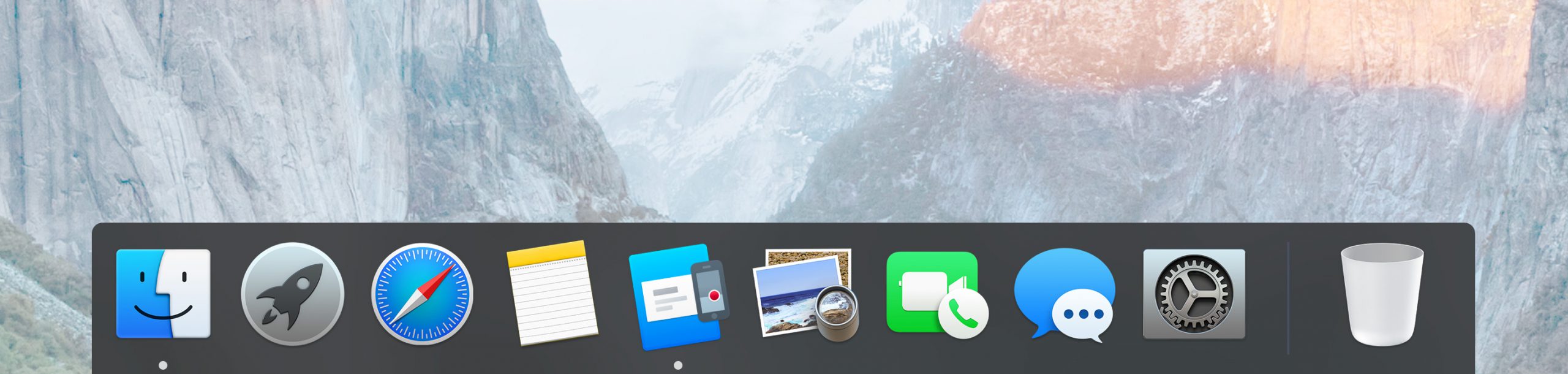
APP ICON IN MACOS DOCK
Solution
User guide
I made a user guide covering the application’s main interactions as part of the thesis submission.
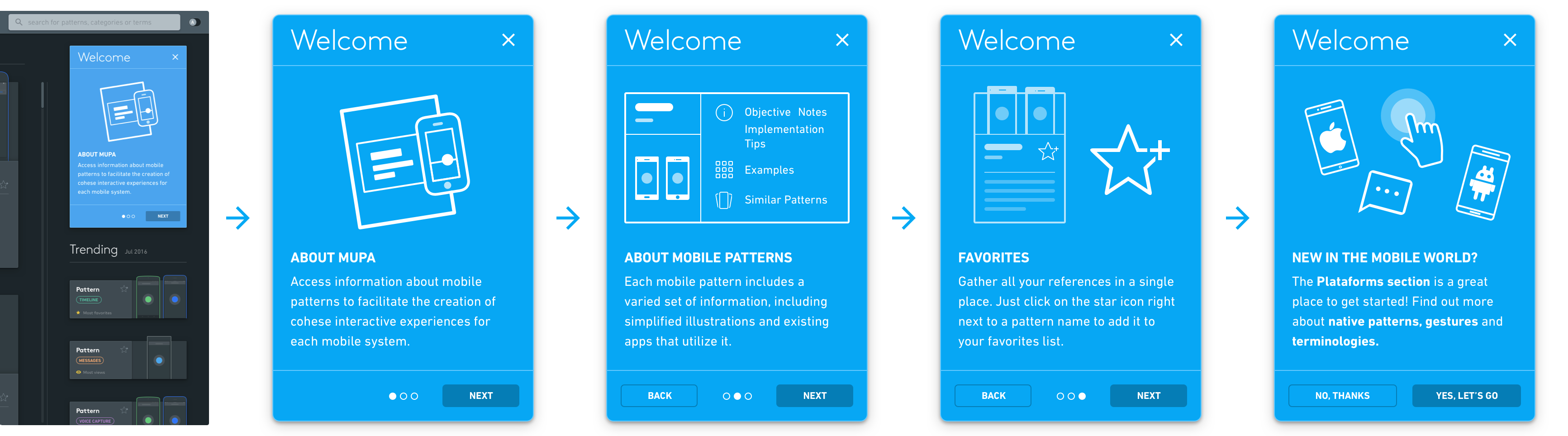
Onboarding
An introductory card carousel explains the main navigation and features.
New and trending
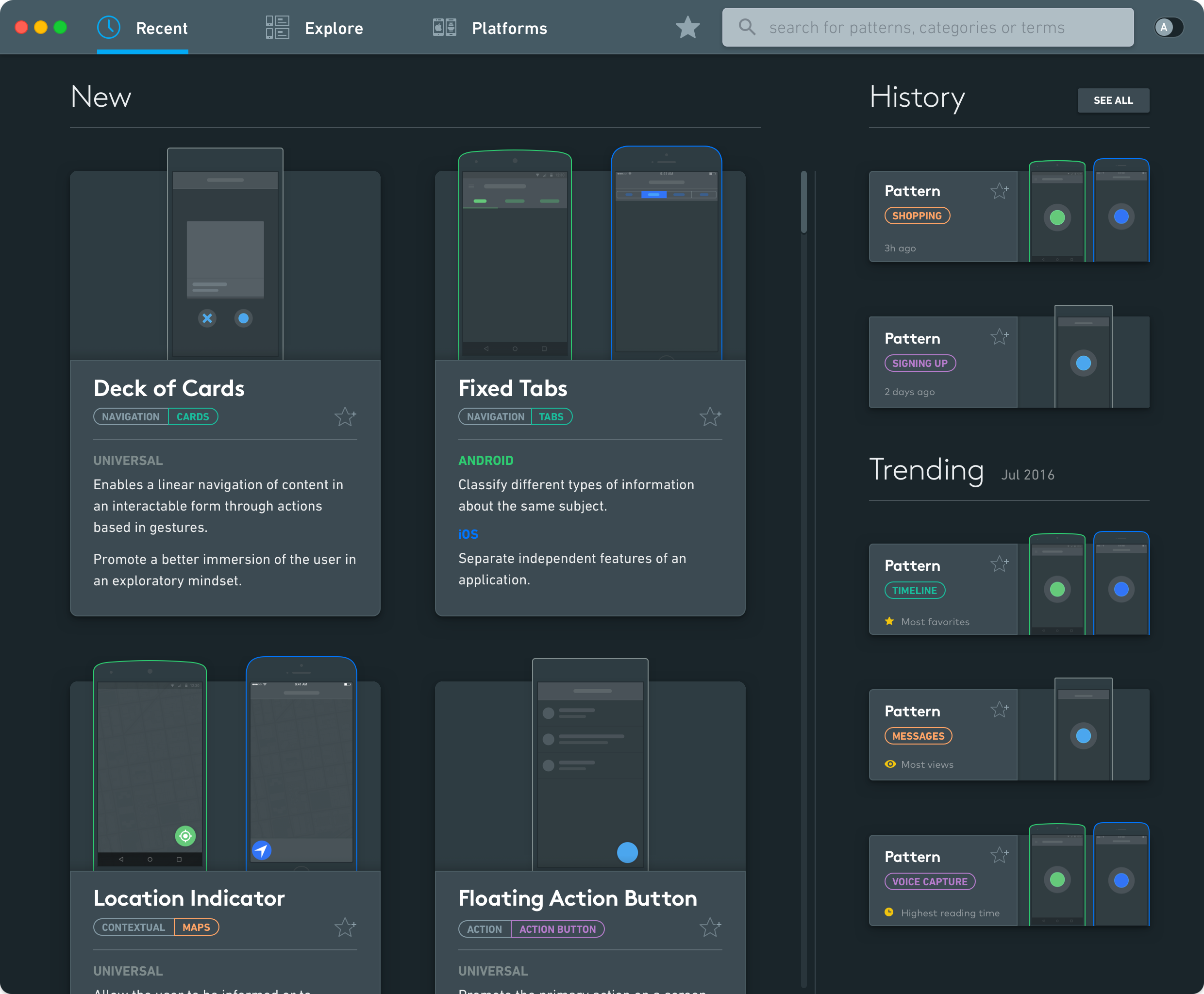
The Recents tab shows newly added patterns with a summary of each pattern’s purpose and categories.
Sidebar
The sidebar shows recently viewed patterns and when they were last opened. A trending section ranks patterns by views, favorites, and reading time.
Platforms
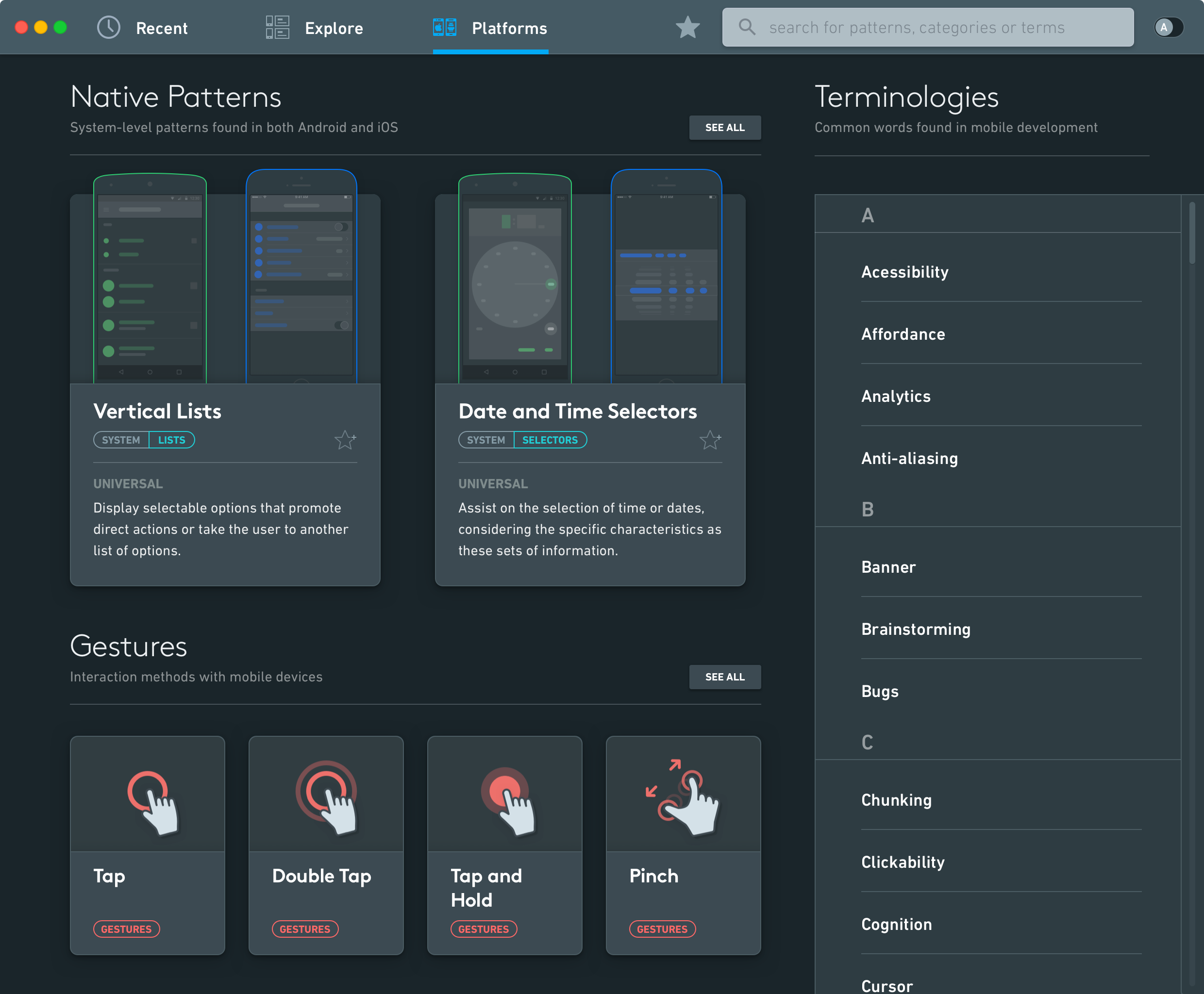
Platforms introduces system-level patterns, common gestures, and mobile design terms for designers new to the field.
Platforms and gestures
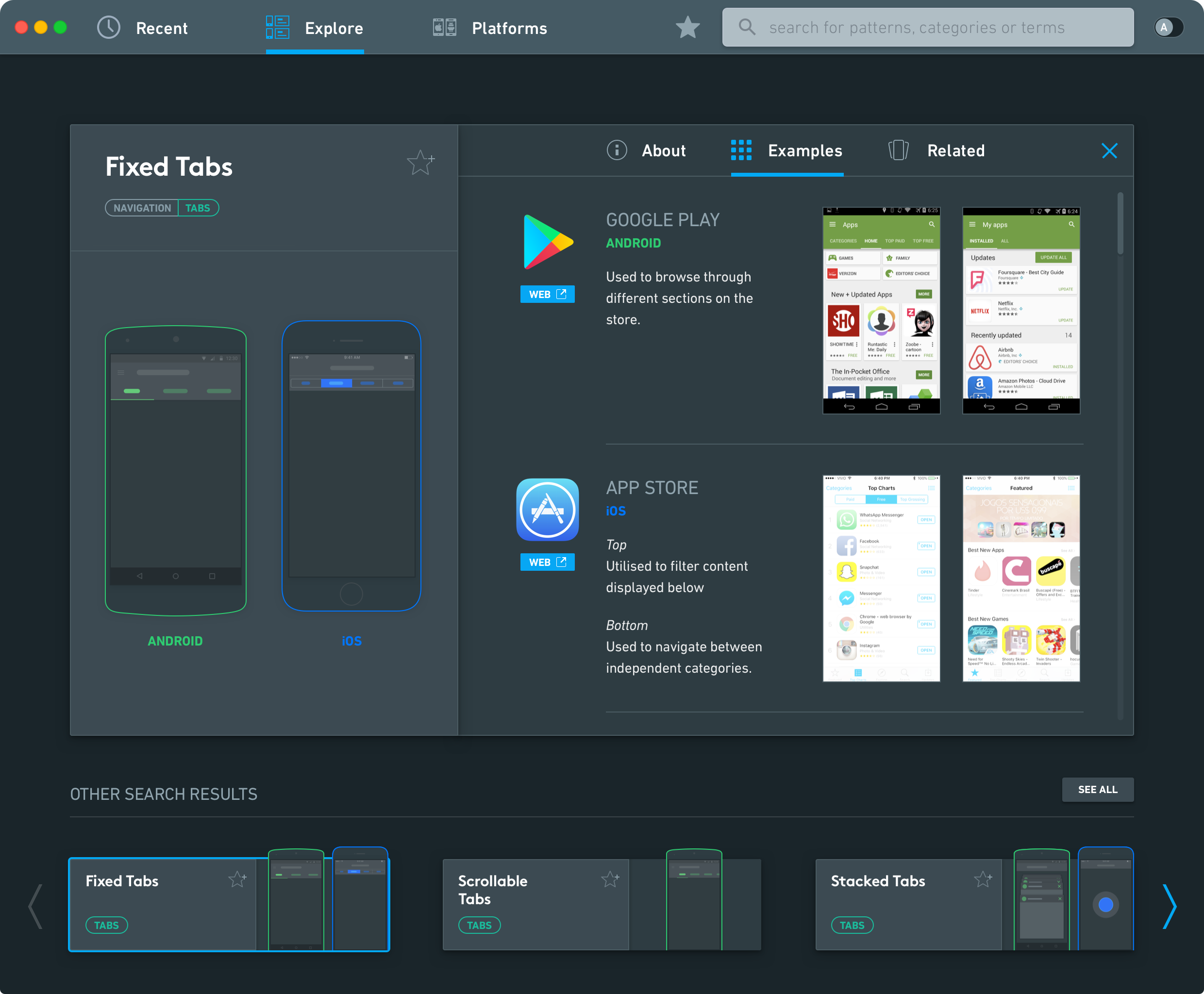
Pattern information and examples
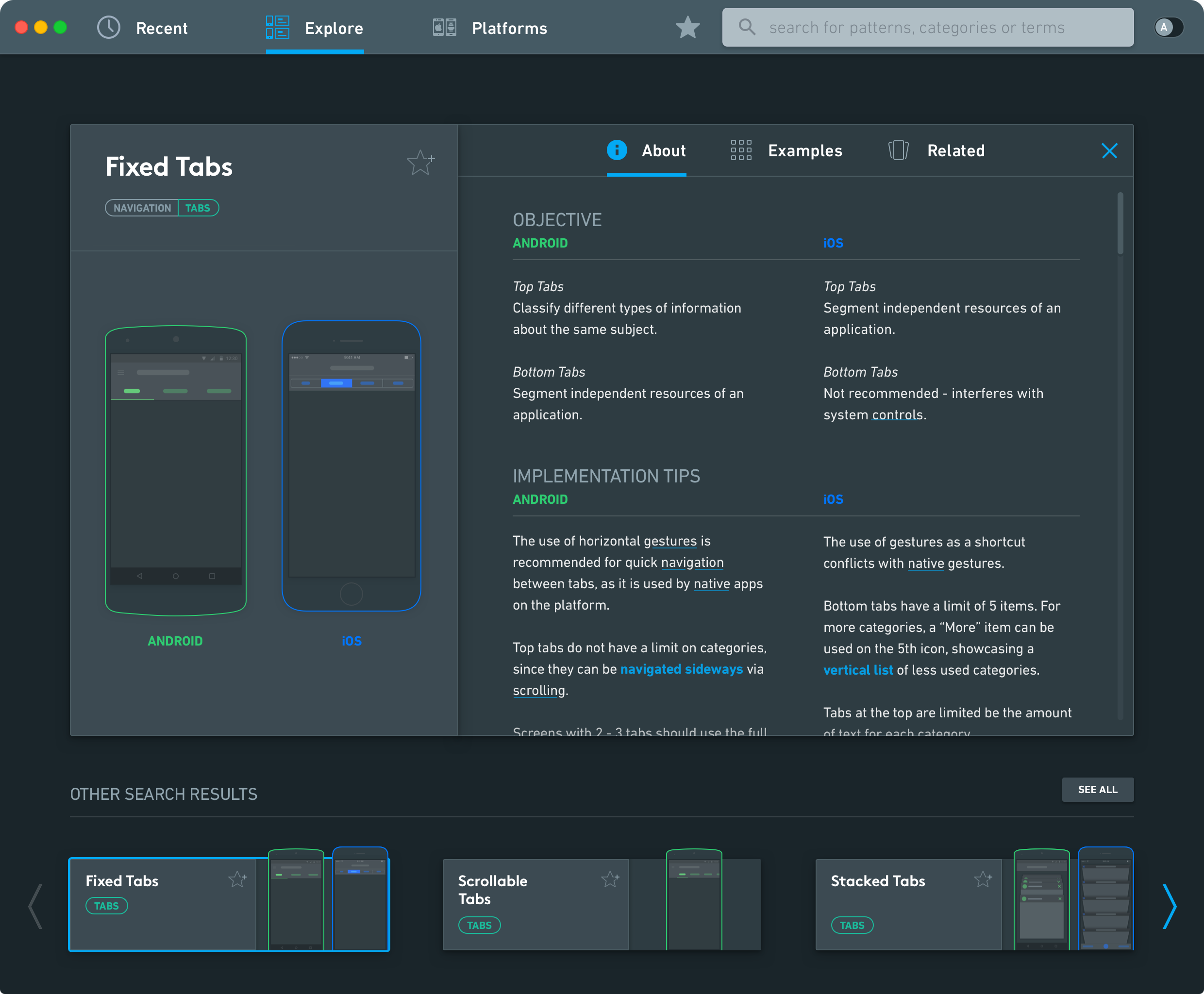
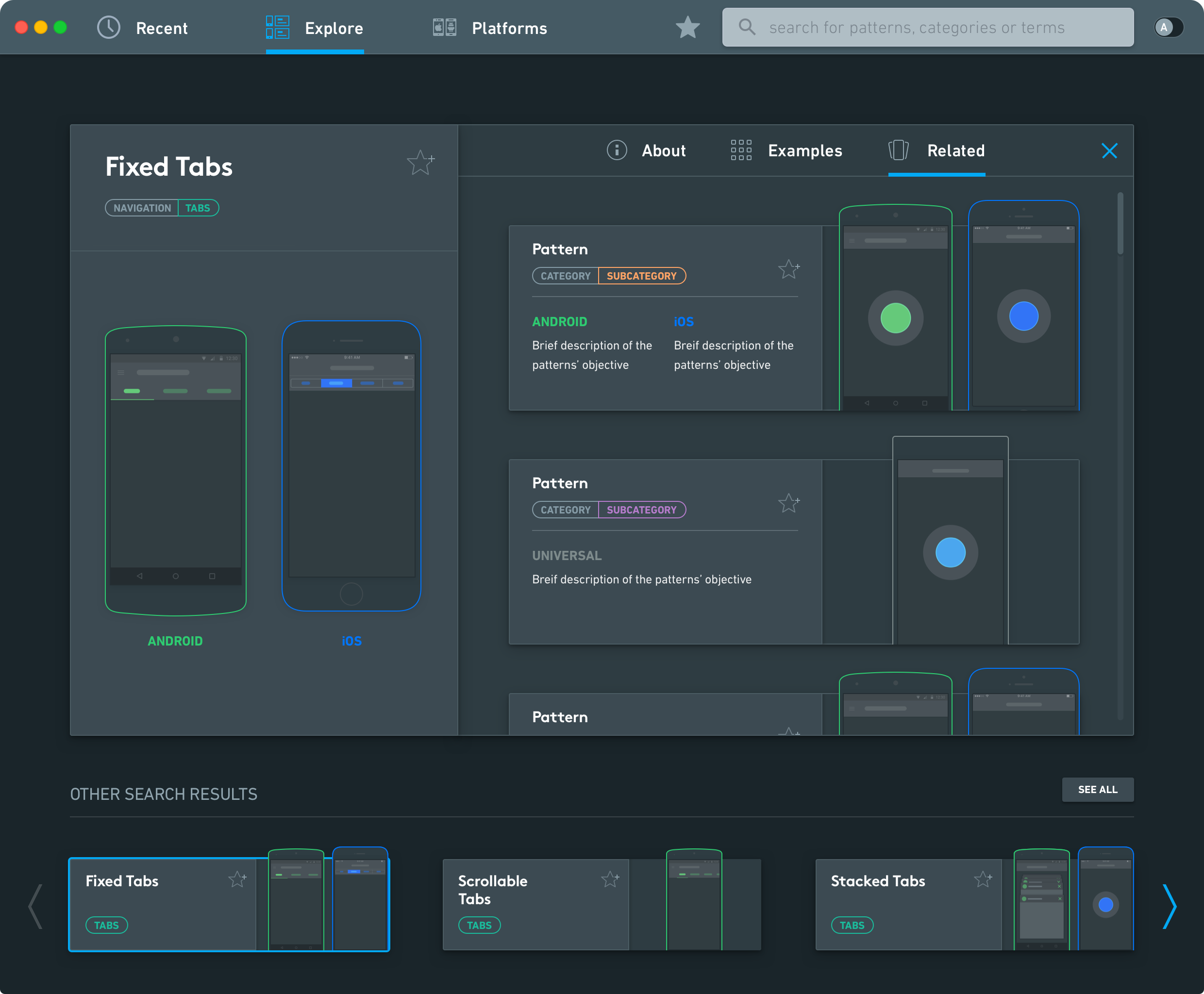
Pattern details
Each pattern page explains its recommended use on iOS and Android, with implementation tips and platform limitations. App examples and related patterns give designers alternatives to compare.
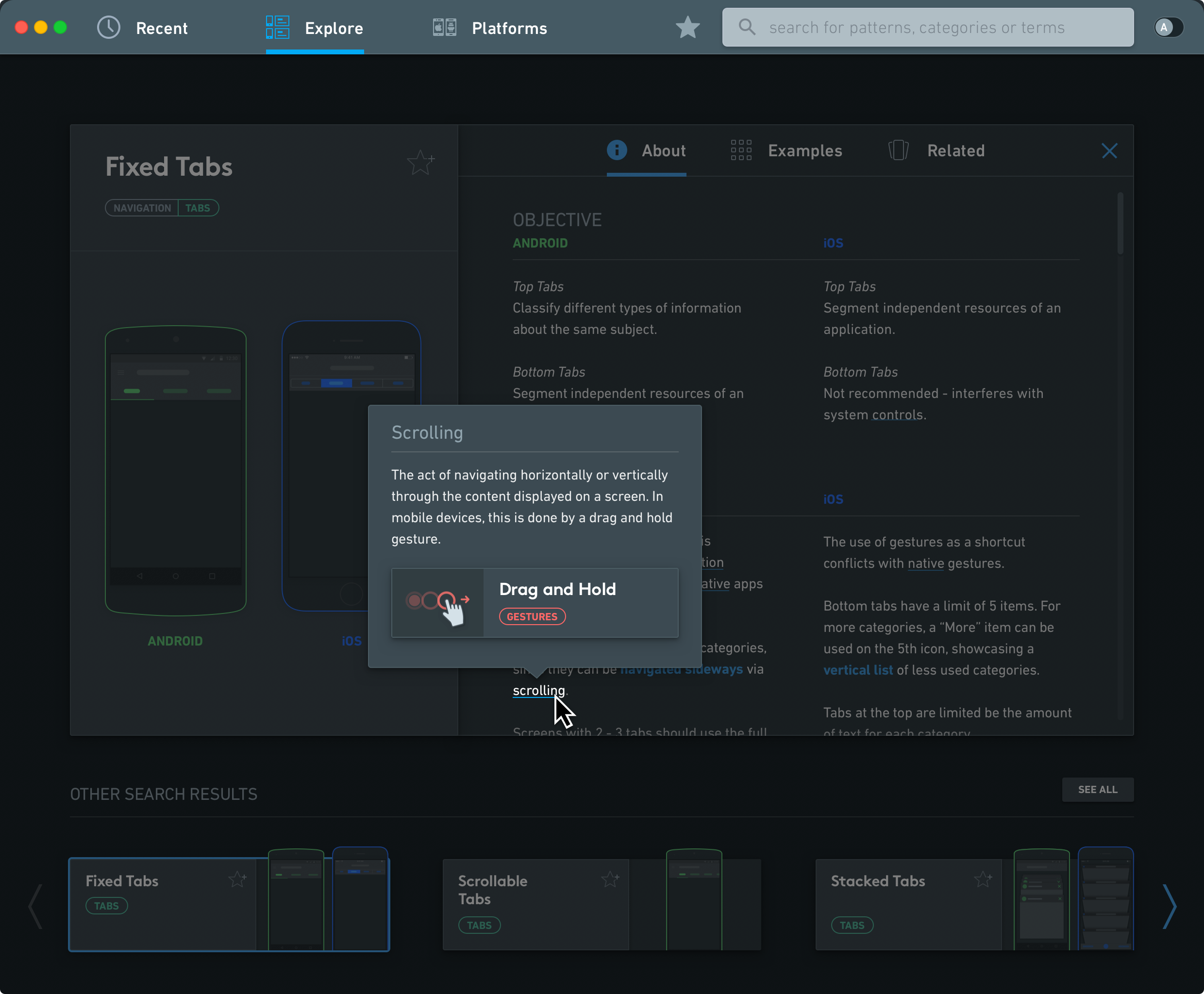
Definitions in context
Hovering over an underlined term shows its definition.
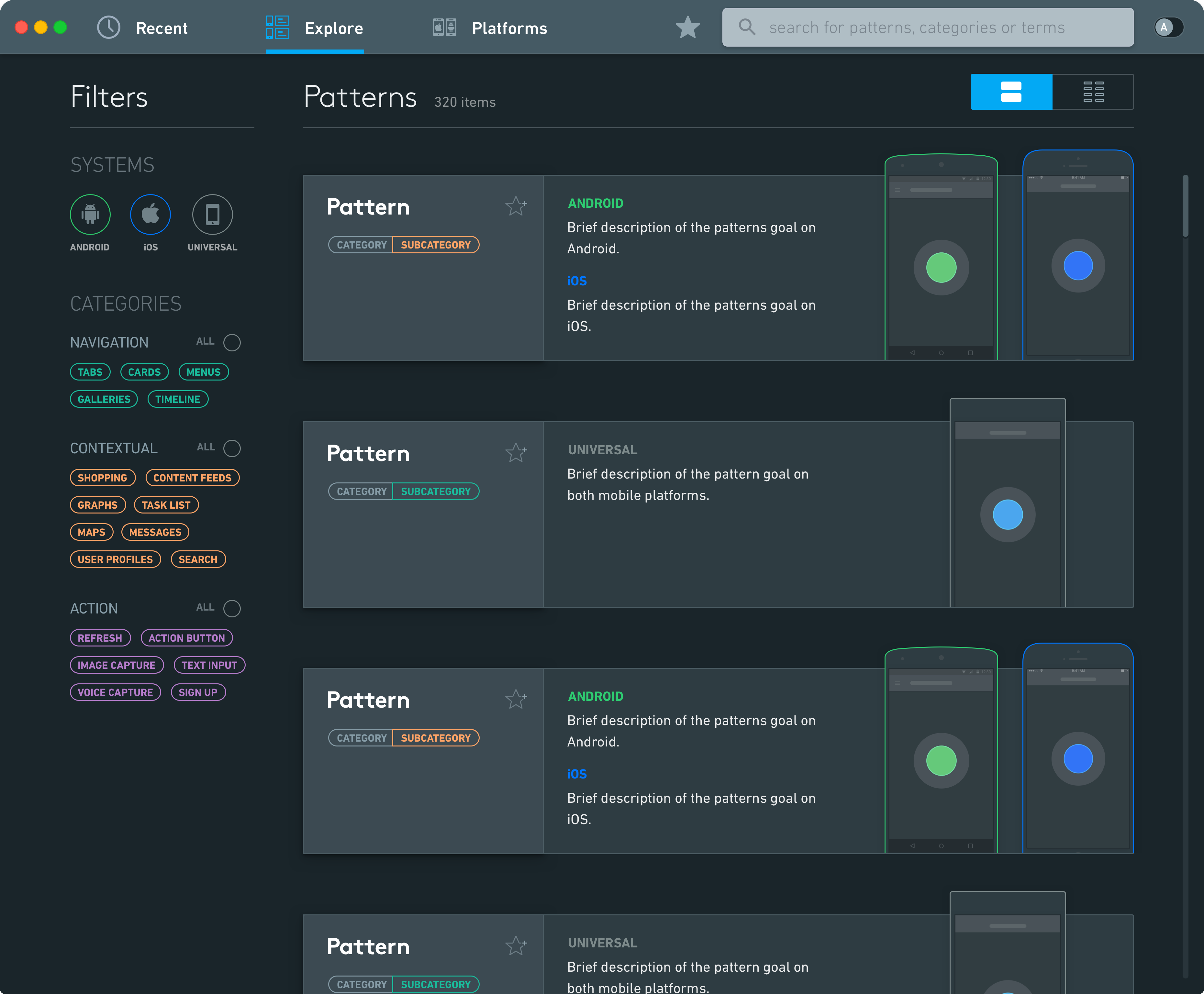
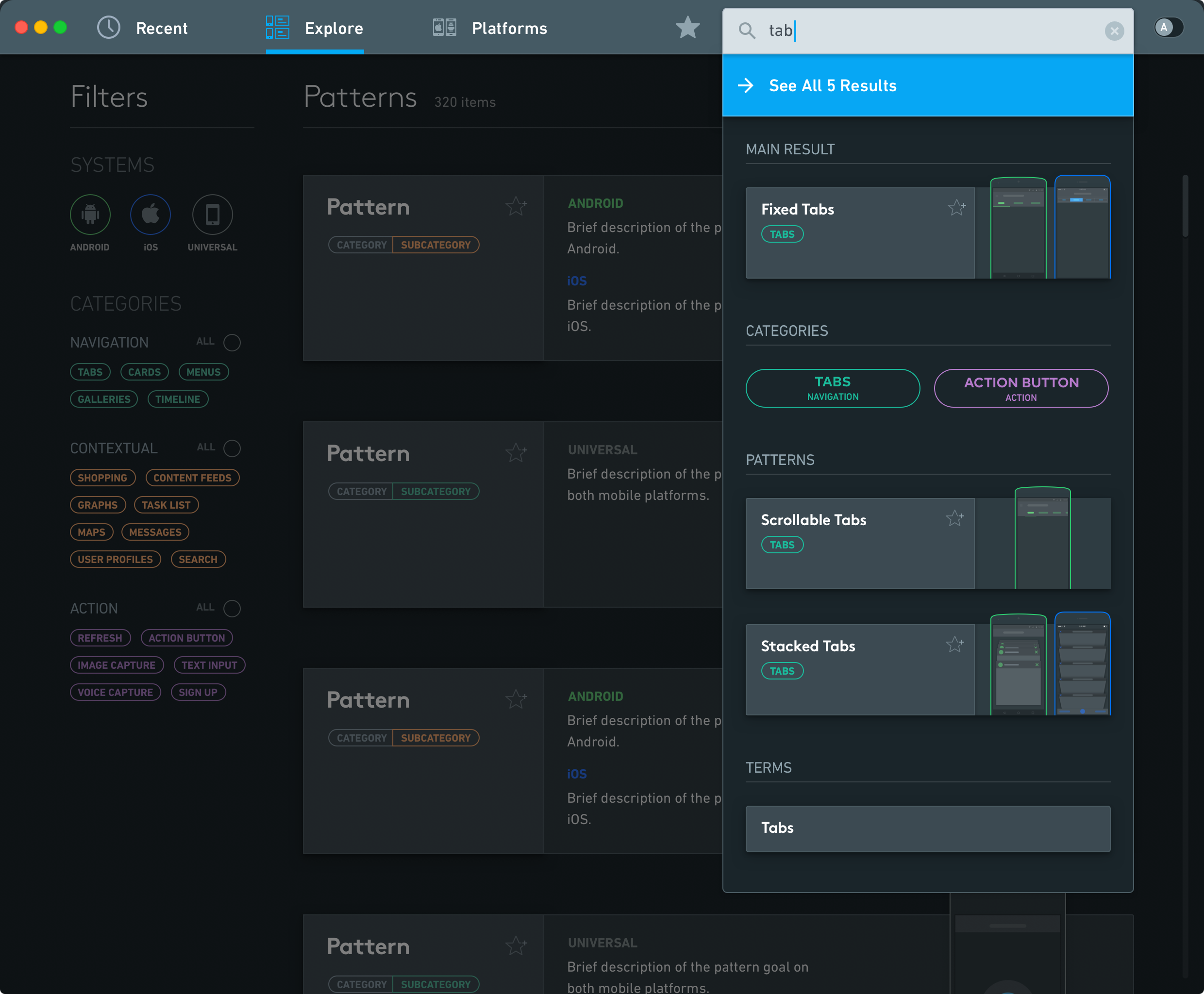
Explore and search
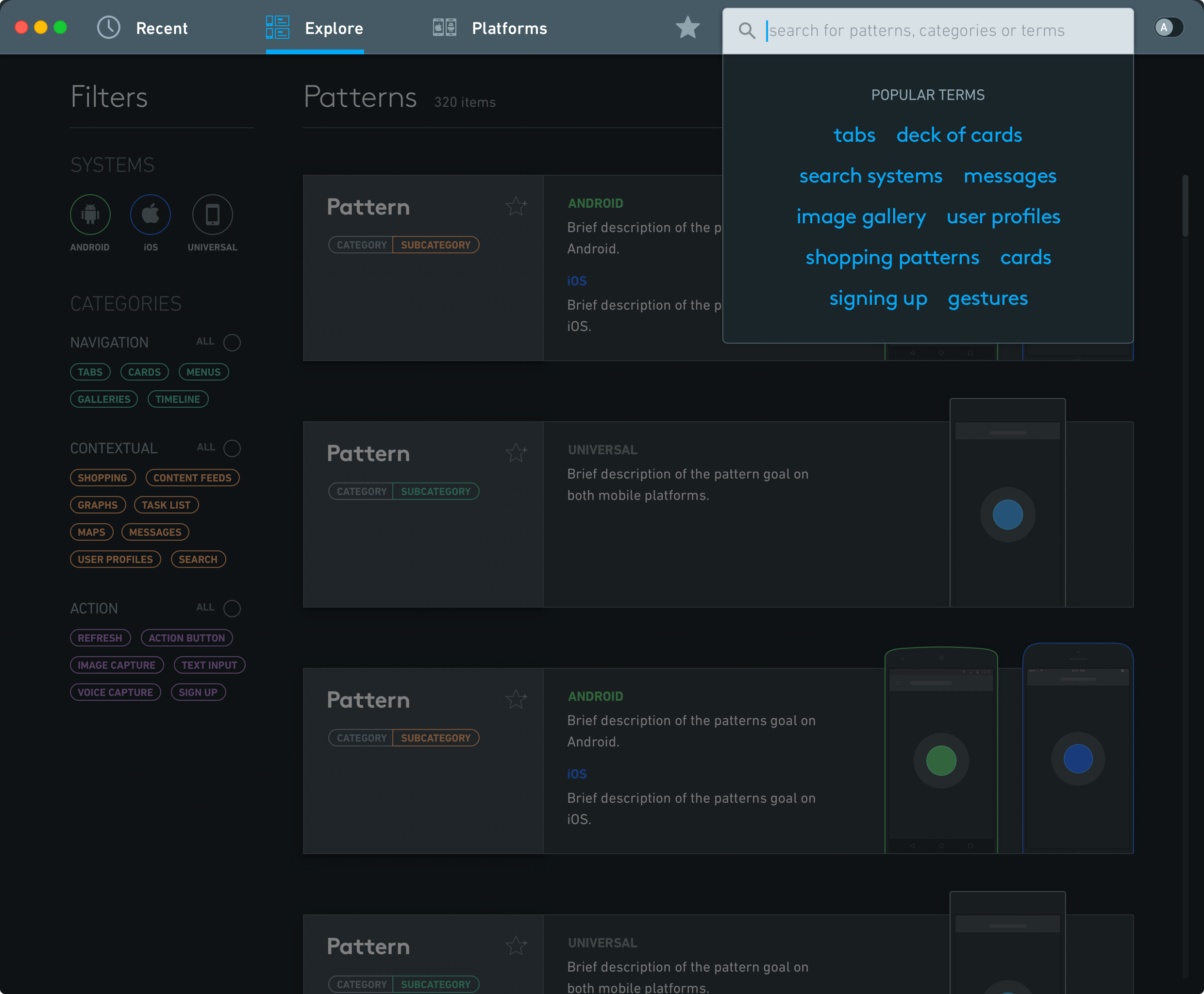
Filters narrow the pattern catalog. Search suggests popular terms and shows results as users type.
Explore and search
Prototype walkthrough
The thesis also included a video demonstrating navigation and the main features. The screens are in Portuguese.
On a desktop, click on the content above and use keyboard arrow keys for easier navigation.
ApDesign Thesis Recognition Award
Each semester, the association of design professionals from Rio Grande do Sul honors a thesis project with a distinction award. MUPA received the 2015-16 award.